


Give every sponsor and exhibitor real control over their stand. You allot each company its complimentary tickets and enable lead scanning, then the Exhibition Manager takes full control — from tickets and attendees to their scan team and their leads.
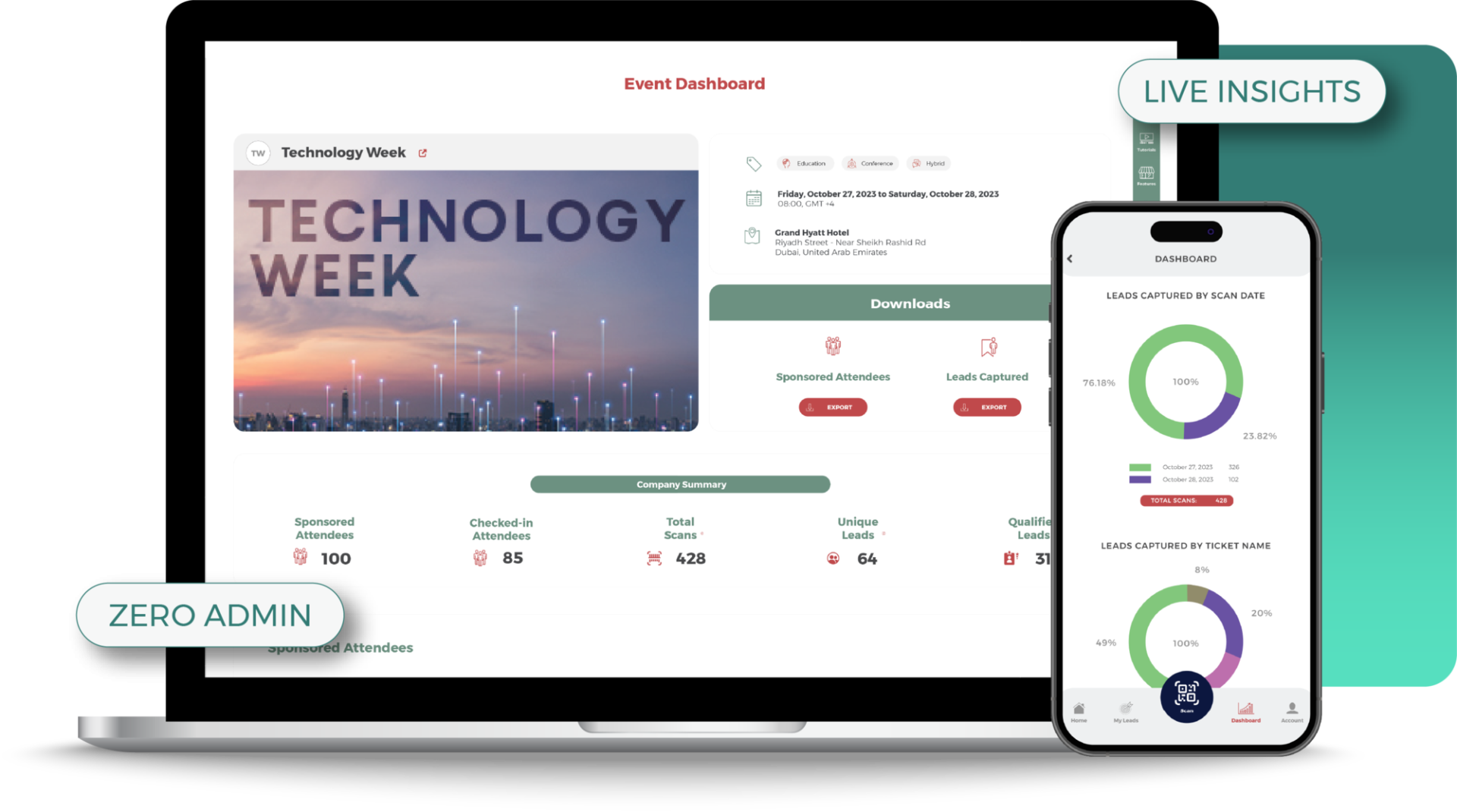
WHY IT MATTERS
Better for your sponsors, easier for you.
Lead capture is one of the first things a sponsor judges an event on. Entryvent makes it something they actually enjoy using, and something you never have to babysit.
For Organisers
A sponsorship perk that sells itself
No more “my attendee never got their ticket” calls
When a sponsor’s attendee misses their ticket, the Exhibition Manager resends it themselves. The frantic requests stop landing on you, day or night.
Sell lead capture as a benefit
Offer qualified lead retrieval as part of the sponsorship package, a tangible reason to upgrade tiers.
Bring sponsors back next year
Sponsors who leave with a clean list of qualified leads are sponsors who renew.
Turn a sponsored talk into captured data
Sold an industry session? Set the date, time and checkpoint, and the sponsor captures exactly who attended. You decide which details they can see and export.
For Sponsors
Real ownership of their leads
Control their own ticket allocation
The Exhibition Manager distributes their allotted tickets and edits attendee details whenever they need to, no waiting on the organiser.
Run their own booth team
They assign their own Lead Scanners and build their own qualifying form, scoped to their company alone. Every lead is tagged with the scanner who captured it, and the Exhibition Manager sees them all.
Capture leads worth following up
Every scan is rated, tagged and noted at the booth, so the team leaves with context, not just contact details.
Prove the stand paid off
Export the full list any time and start follow-up while the conversation is still fresh.
THE LEAD CAPTURE FLOW
From sponsor setup to export.
A structured handover. You configure the sponsor company, the Exhibition Manager from that company runs the booth team, and their scanners capture the leads onsite. Every responsibility scoped, every permission explicit.
01
Organiser sets up
Creates the sponsor company, assigns the Exhibition Manager, allocates complimentary tickets, sets sponsor permissions and defines the scans.
02
Manager accepts
The Exhibition Manager gets an automated email outlining their responsibilities, and accepts to activate access.
03
Manager equips the team
From their dashboard: distribute complimentary tickets, configure the lead questions, assign Lead Scanners.
04
Onsite capture
Scanners log in to EV Lead, pick an event, choose a scan and a mode, and start qualifying leads at the booth.
05
Leads exported
Every lead, rating, note and follow-up action lands in the sponsor dashboard. Export to CSV at any time.
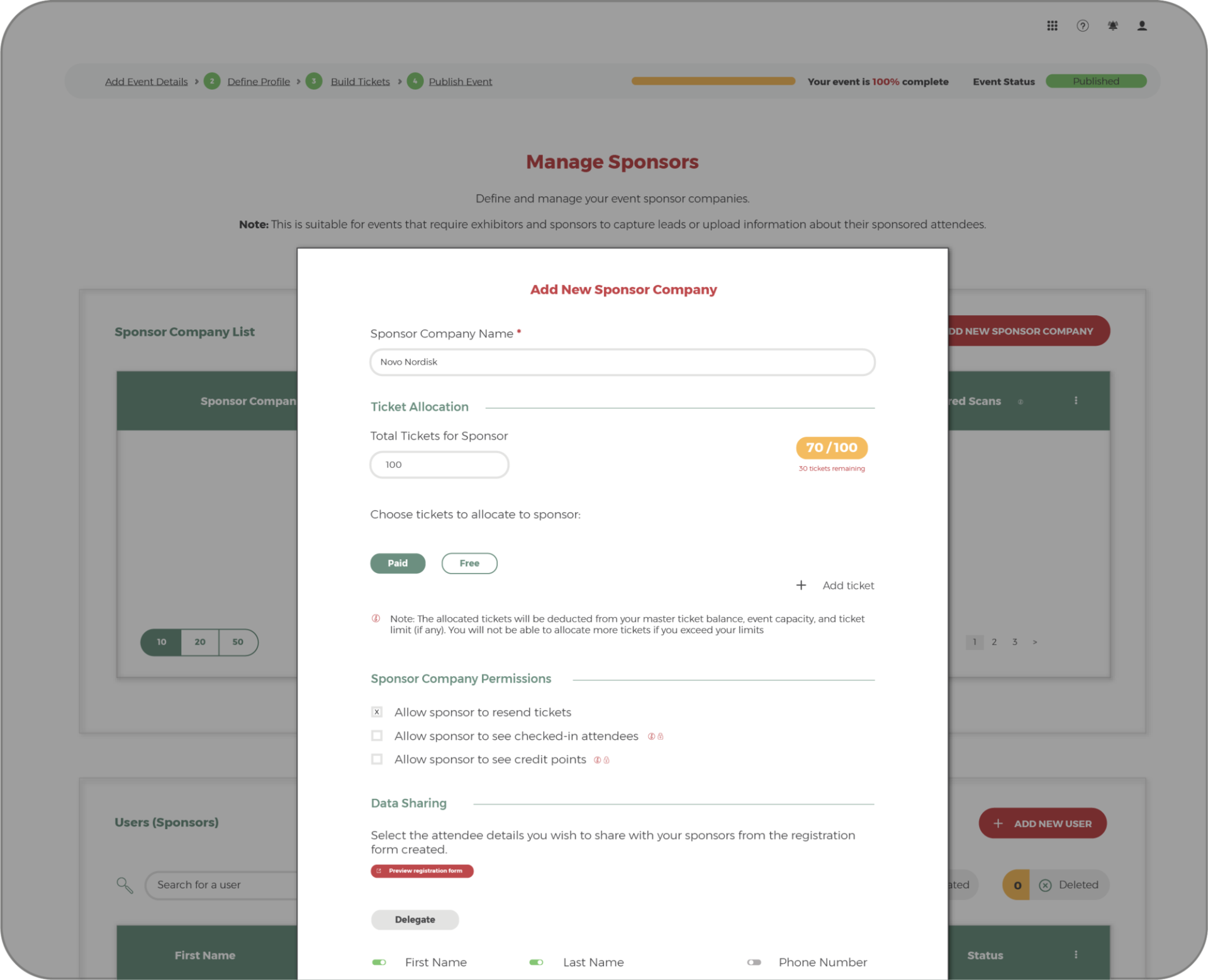
STEP 01 · IN CENTRA
You set the boundaries, once.
From Centra you create the sponsor company, allocate its complimentary tickets, and assign the Exhibition Manager who will run it. The whole relationship is configured in one place before the event begins.
You also choose exactly which attendee details are shared with each sponsor, so data only ever flows where you allow it.
Assign the Exhibition Manager, who then sets up their own Lead Scanners
Set the ticket allocation per sponsor company
Control data sharing, field by field
WHAT THE EXHIBITION MANAGER RUNS
The Exhibition Manager dashboard, everything in one place.
Once the Exhibition Manager accepts their invitation they get a dashboard built for self-service — showing only the tools you chose to give their company. Select a feature below to see how it works.
Manage Attendees
One dashboard for every delegate
The Exhibition Manager works from their own attendee dashboard. They add attendees one by one or import a list in bulk, assign each a ticket from their allocation, and edit details up to the cut-off. From the same screen they send confirmation emails, download badges, and export the list whenever they need it.
A live summary shows the total attendees and a breakdown by type, with ticket delivery status visible against every record.
The list is scoped to the sponsor company. Only that company’s attendees appear, and only the Exhibition Manager and the organiser can edit them.
Built around the ticket profile
The import template carries the exact fields the ticket requires. Records that do not match the profile are flagged at validation and will not upload.
Complimentary Ticket Distribution
Hand out tickets without over-issuing
The organiser allocates a number of complimentary tickets per sponsor company. The Exhibition Manager distributes them, capping at the allocation, no risk of over-issuing. Each issued ticket is tracked and counted against the company.
Every issued ticket is counted against the allocation in real time, so the Exhibition Manager always knows how many they have left to give.
Sponsor Company Permissions
You decide what each sponsor can do
What an Exhibition Manager sees beyond the basics depends on what you enabled for that sponsor company.
Resend tickets
Trigger a ticket resend to any attendee linked to the company.
View CME credits
See the credit points earned by company attendees, particularly relevant for medical and accredited events.
View check-in status
See in real time whether each company attendee has checked in onsite.
Lead Scanner Assignment
Run your own booth team
The Exhibition Manager adds external users as Lead Scanners under their company, up to the number you allowed for that company. You do not need to manage these users — the Exhibition Manager decides who scans, and each scanner logs in with their own credentials.
Every scan is attributed to the scanner who captured it, so each team member keeps their own leads while the Exhibition Manager sees every lead across the whole team in one place.
A restricted role
Lead Scanners can only access the EV Lead app for the company they are assigned to, and only see the scans the organiser configured.
Lead Qualification Questions
Capture leads the way your team sells
The Exhibition Manager shapes the qualifying form their scanners use, so every lead leaves the booth with the context the company needs to follow up well. The form is set once per company and applies to every scanner instantly.
See the full set of fields the Exhibition Manager can switch on in the qualifying form below.
Sponsor Banner Upload
Brand the scan view
Put the company’s own branding on the scanning screen, so the booth experience feels like theirs, not Entryvent’s. Uploaded once and reused across every event the company takes part in.
Self-service
The Exhibition Manager uploads and updates the banner themselves at any time, with no organiser involvement.
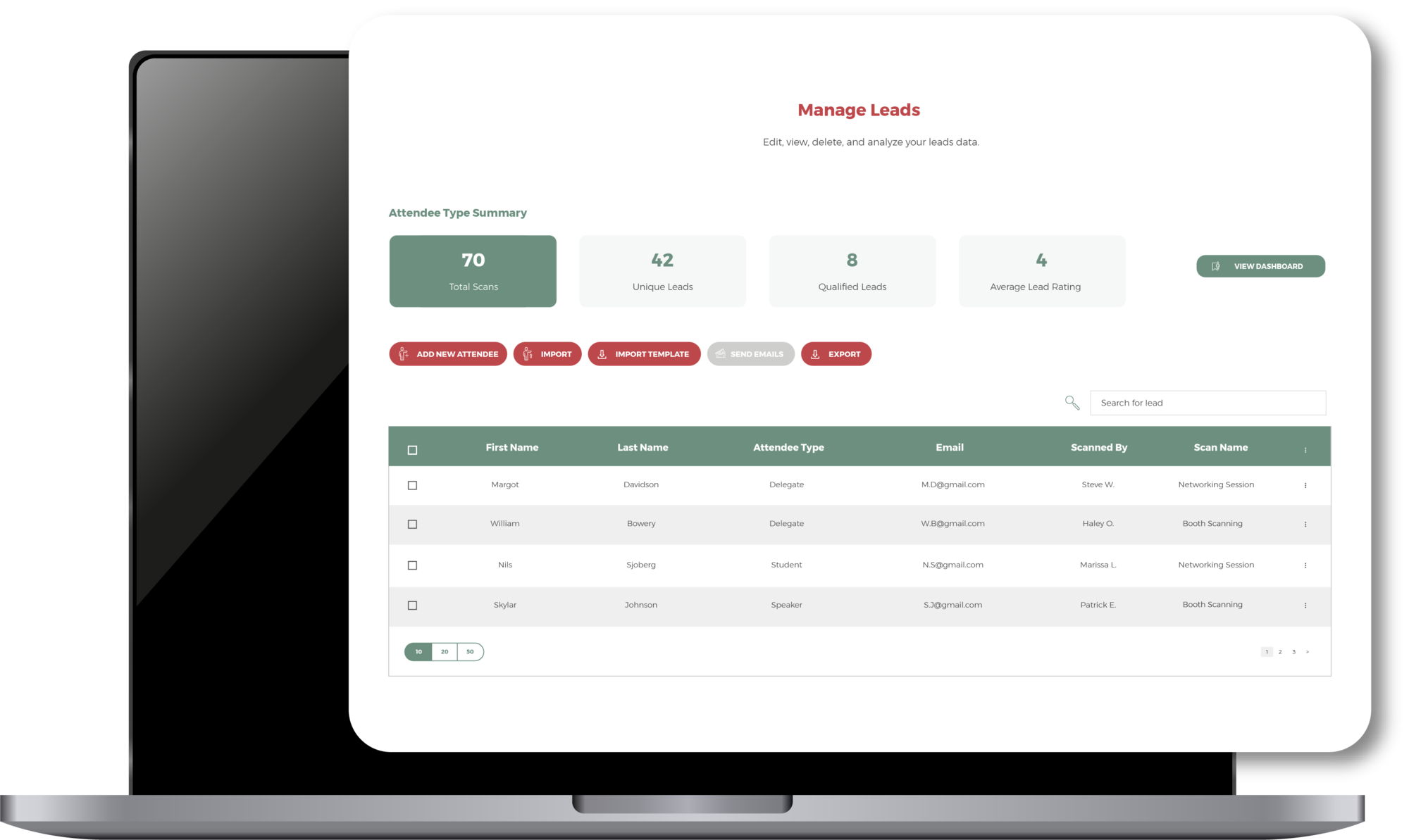
MANAGE ATTENDEES
Their attendees, theirs to manage.
The Exhibition Manager works from a single list of their sponsored attendees — adding people, editing details, and watching check-in update live during the event.
Bringing a list from their own records? They download an import template built from the ticket profile, so it asks for exactly the fields that ticket requires. They fill it in, upload it, and validate before import. Anything that does not match the profile is flagged, so only complete, compliant records make it onto the list.
One list, scoped to their company only
Add attendees one by one, or import using the ticket-profile template
See exactly which of their allocated attendees have checked in, live
SCAN MODES
One scan type, set up for any purpose.
Sponsors scan with a Standard Scan, available whenever a scanner is on shift, so capture never closes mid-conversation. You can set up as many scans as a company needs — a booth scan for the stand, a commercial scan for a sponsored activation, and so on. The Lead Scanner only ever sees the scans configured for their company.

Booth Scan
Scan attendees at the sponsor’s booth on the exhibition floor. Available throughout the event whenever a scanner is on shift — for the leads who walk up, drop a card, or stop for a conversation.
Continuous availabilityExhibition floor

Commercial Scan
A second scan set up for a different purpose — a sponsored activation, a giveaway, a product demo. The same Standard Scan, scoped to its own context, so the company keeps its leads separated by where they were captured.
Continuous availabilityPurpose-specific
Once a scanner selects a scan, they choose how to capture each attendee.

Qualify Lead
Surfaces the attendee’s profile, then opens the qualifying form — lead rating, interest tags, notes, follow-up actions. Used when the scanner has time to qualify the conversation.
Mode A

Quick Scan
Records the scan against the attendee for tracking purposes. No form. Used to log a quick touch at the booth, or when the queue is moving and qualifying can wait for later.
Mode B
THE QUALIFYING FORM
Every lead comes back with context.
A scanned badge is just a name. These are the fields the Exhibition Manager can switch on so their team captures why the lead matters, ready to act on the moment the event ends. Each one is optional, and tailored to how the company sells.

Lead Rating
A one-to-five star rating that flags interest level for follow-up prioritisation.

Preferred Language
Set the language preference for the lead — useful for multi-region follow-up teams.

Interest Tags
Build a custom list of products or topics. Scanners tag what the lead is interested in during the conversation.

Notes
A free-text field for context the form cannot capture. Saved against the lead record and visible in the export.

Preferred Contact Method
Record how the lead prefers to be reached, so follow-up lands on the right channel from the start.

Follow-up Actions
Tickbox actions like “schedule a meeting” or “send materials” — easy to act on after the event.
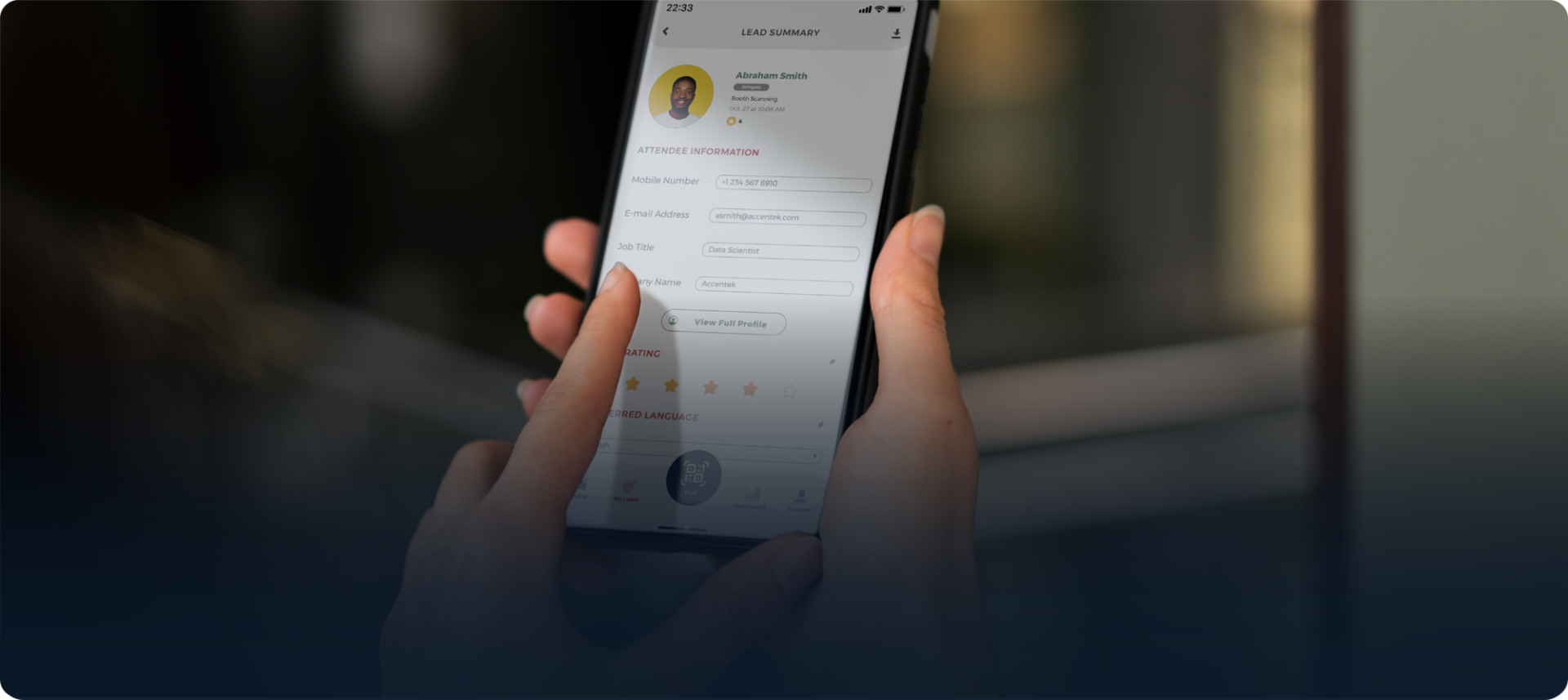
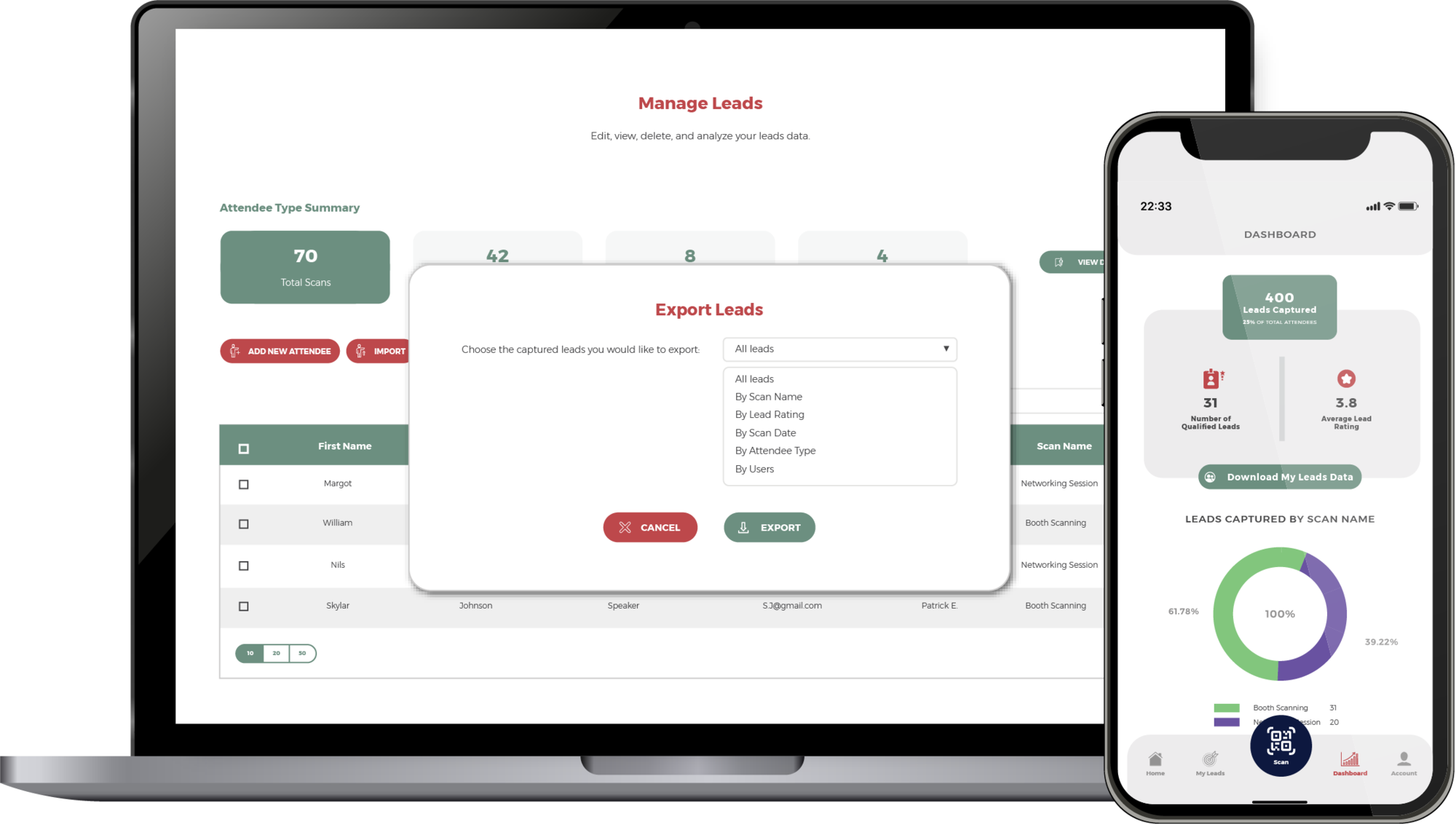
A captured lead with full context — and the filtered export the sponsor runs themselves, straight from the app.
FROM CONCEPT TO CROWD
How it looks at the booth.
You set it up here in Centra — the companies, the Exhibition Managers, the scans and the scan permissions. The Exhibition Manager builds the qualifying form their team uses. It comes to life at the booth, on the EV Lead app, in each sponsor team’s hands: a scan and a few taps turning a conversation into a qualified lead.
The full in-the-room story — how the booth team runs it on the floor — lives on the Onsite Event Apps page.

ONE APPLICATION, EVERY SPONSOR
Download EV Lead.
The lead capture app for every sponsor and exhibitor at your event, free on iOS and Android. Each Lead Scanner logs in with their own credentials and only sees the scans configured for their company.


GET STARTED
Ready to hand lead capture back to your sponsors?
Set up sponsor companies and Exhibition Managers. Download EV Lead. Watch qualified leads flow into the dashboard from every booth at your event.