


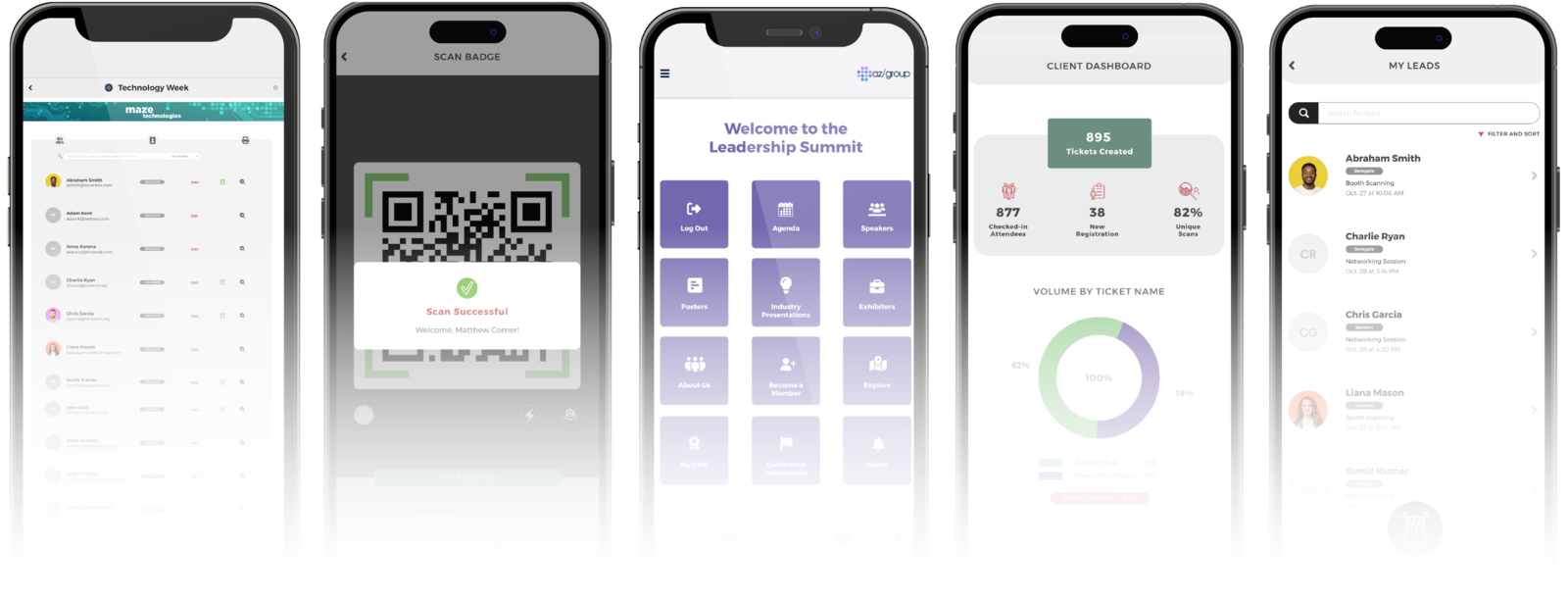
Four dedicated apps covering every onsite role. EV Registration for check-in and badging, EV Scan for access control, EV Lead for your sponsors and exhibitors, and EV Dash for your stakeholders. Configured once in Centra, executed live on the day.
HOW THE APPS FIT
Centra is the machine. The apps are the execution.
You build and configure everything once in Centra. The EV apps hold no settings of their own, they execute what Centra defines, live on the day.
Centra
Everything that defines your event is built and set here, once, in one place.
Create & Manage
Event Details, Profile Builder, Ticket Builder
Operations
Event Roles, Users, Attendees, Shop
Promote & Marketing
Event Widgets, Company Widgets, Engagements
Onsite Management
Badge Builder, Scan Builder, Event Sponsors
Analytics & Insights
Event Dashboard, Dashboard, Reports
The Entryvent apps
Run what Centra defines, on the day. Each app executes its one role, with no setup on the device.
 Entryvent Registration
 Entryvent Scan
 Entryvent Event App
 Entryvent Lead
 Entryvent Dash
Configure once in Centra. The apps execute. One source of truth, no syncing.
KEY APP SOLUTIONS AND FEATURES
One suite, four dedicated apps.
Each app is purpose-built for a specific role at your event. Together they give every member of your team exactly the right tool for their job.

EV Registration
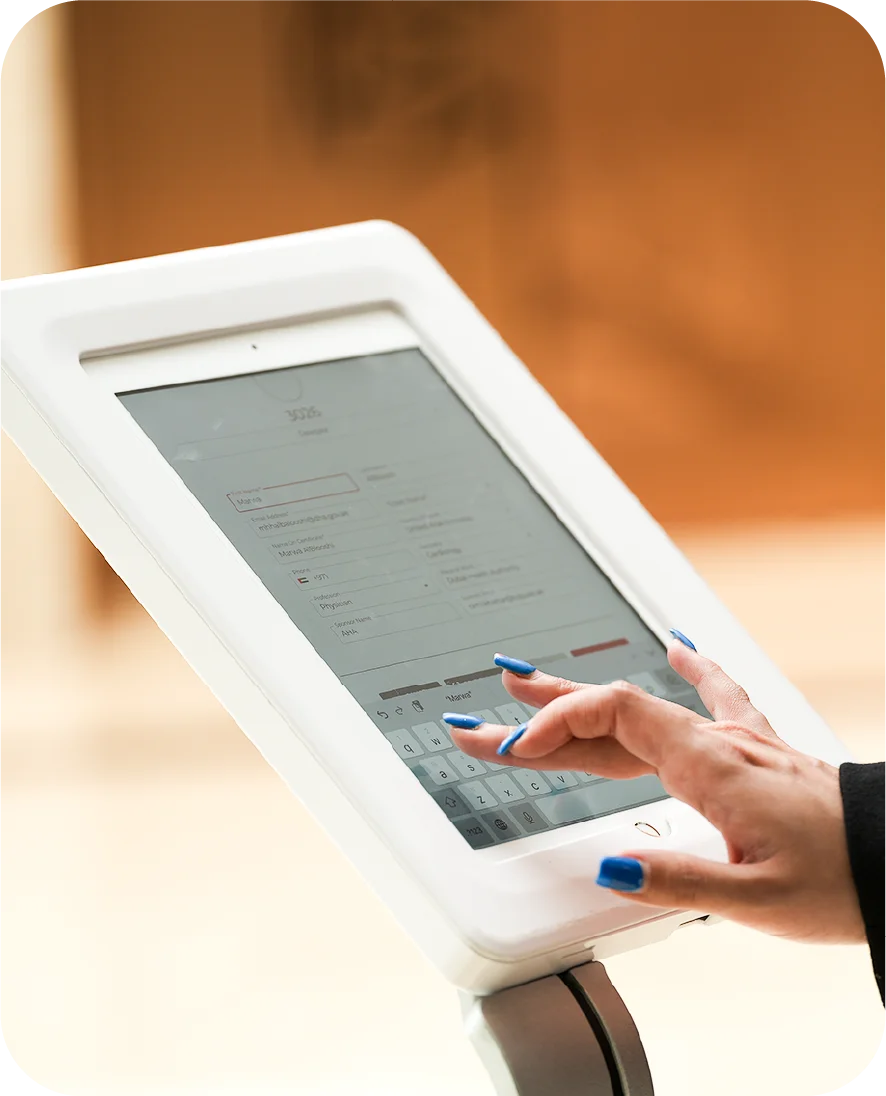
Onsite event registration, check-in and badge printing
Welcome your attendees with a seamless, professional registration experience. From the moment they arrive to the moment they have their badge in hand, every step is fast, accurate, and on-brand.
Available free on iOS and Android. Requires purchase of Entryvent’s onsite services.
 One live list at the door
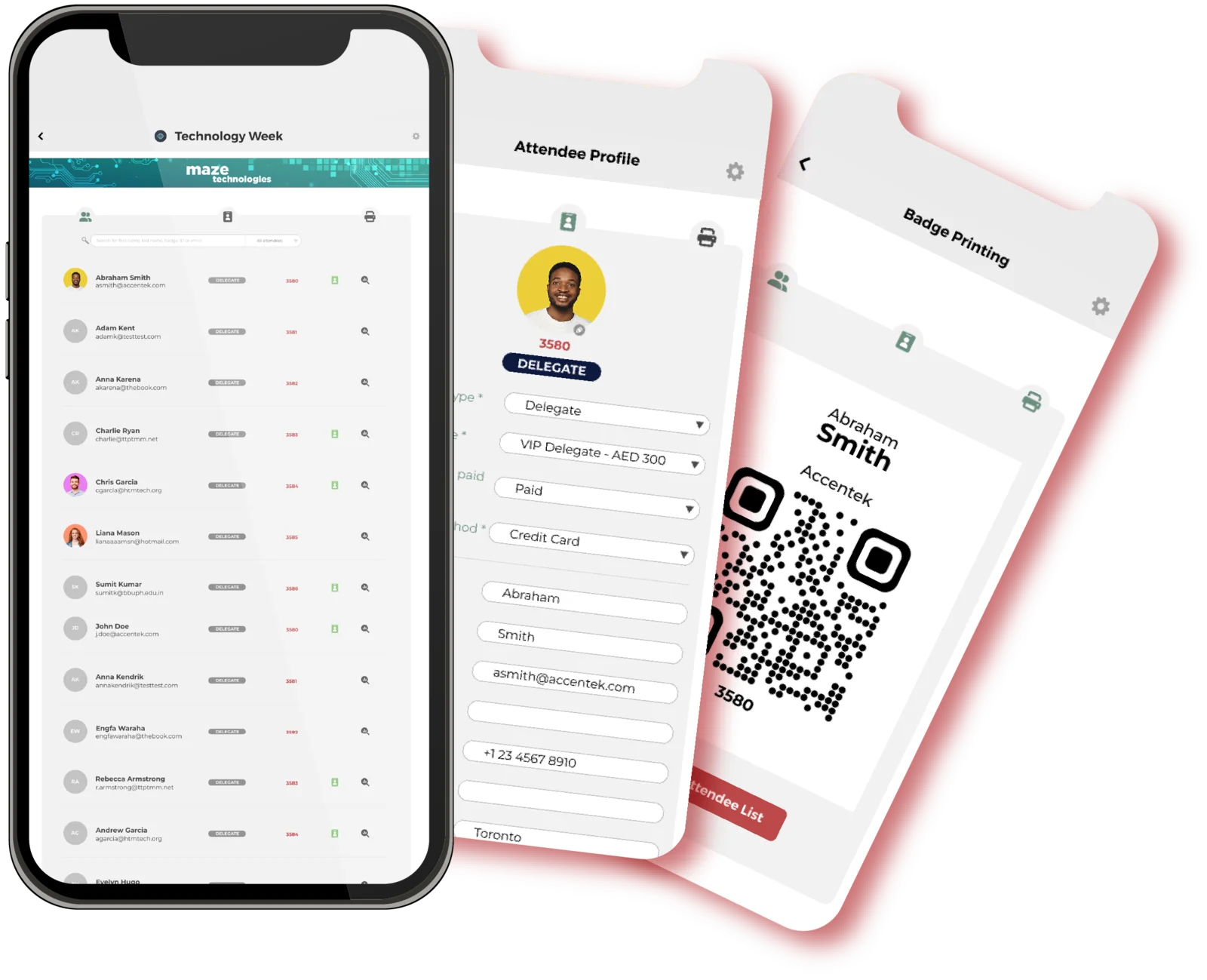
However an attendee signed up, they are already in the app when they arrive. Your team works from one live list at the desk, searching, checking in, and printing in seconds. No laptops, no spreadsheets, no cross-referencing at the door.
 Fast, sleek and on-brand
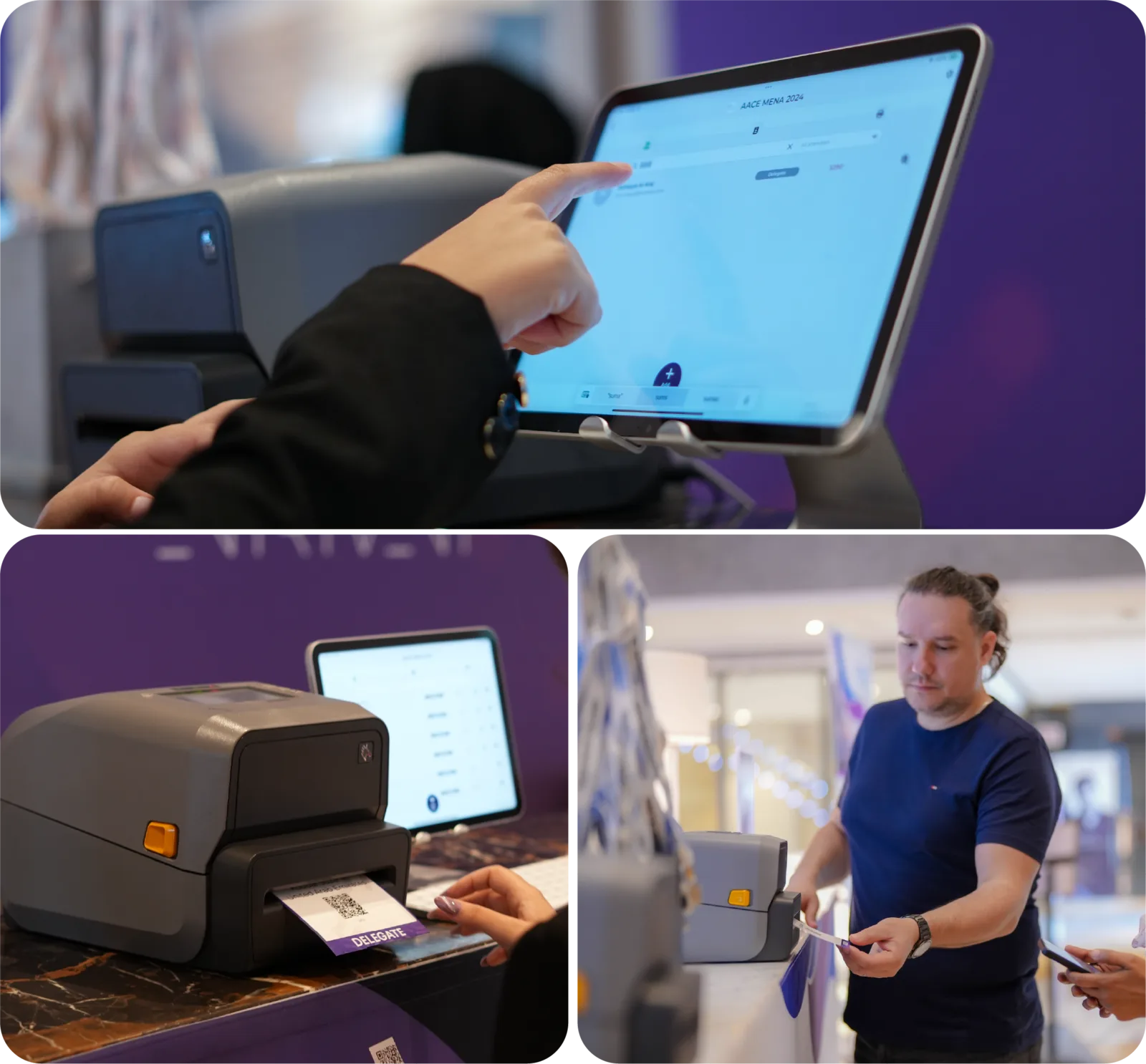
Your registration area is the first thing attendees experience. A clean tablet station, your event branding on screen, and a badge in hand within seconds tells them they are at a well-run event before it has even begun.
 Built for events of any size
Whether you are expecting 50 or 5,000 attendees, the app scales with you. Run multiple stations simultaneously, switch between QR scanning and assisted check-in, and keep your queue moving at any volume.
This page is about running check-in on the floor. For how badges are designed, the printer is set up, and the welcome and check-in emails are prepared in Centra, see the Check-in and Badge Printing page.
YOUR EVENT, YOUR BRAND
Professional event registration setup
The setup your attendees see when they arrive sets the tone for your entire event. A sleek tablet station, your event branding on screen, and instant badge printing in hand tells them they are in good hands before the event has even begun.
A professional registration area is not just an operational decision. It is a first impression.
Want it handled end to end? Our team can set up and run your registration area for you, see our professional services.
KEY APP FEATURES
What the app gives your team
Everything your team needs to run a flawless registration area on event day, with each device set to its own view, so stations are quick to set up and easy to change.
QR Code Scanning
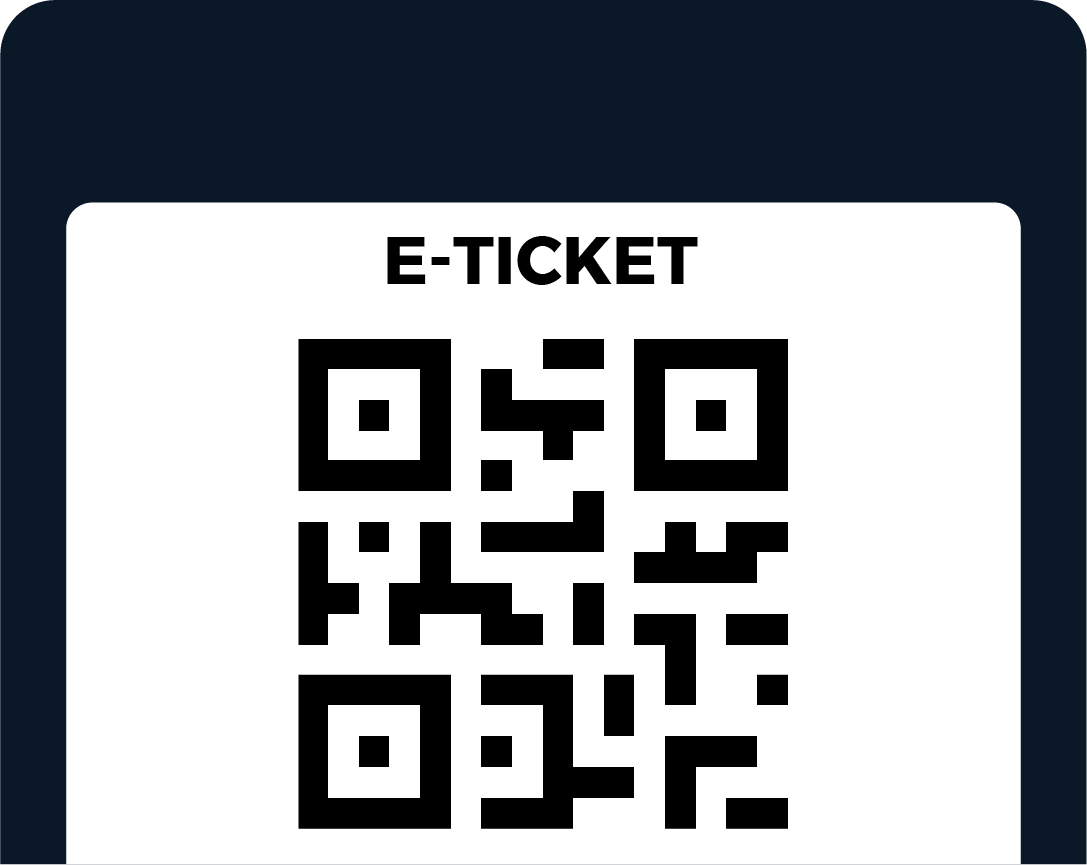
For attendees who arrive with their QR code, scan it and they are checked in and badged on the spot. Nothing to look up, just scan and go.
Attendee Verification
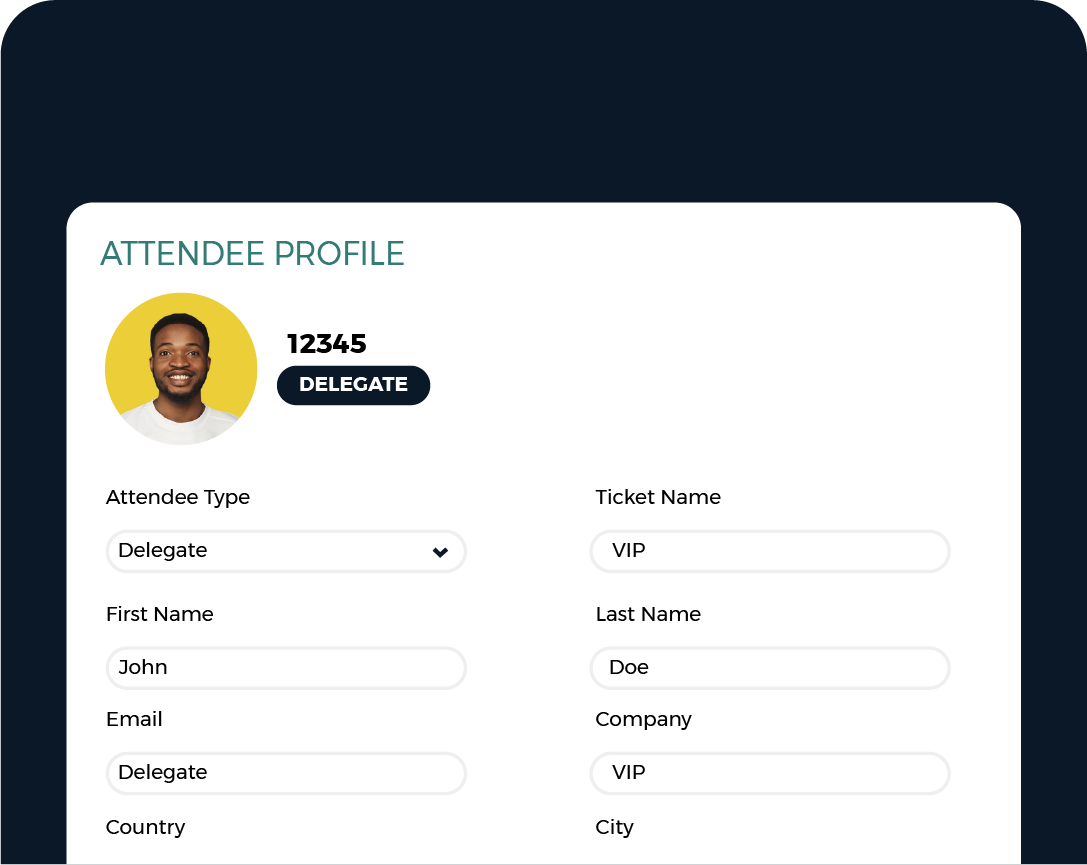
No QR code? Staff search by the attendee’s details, confirm them at the station, and check them in. Attendees can also self-verify on their own device.
Badge Printing
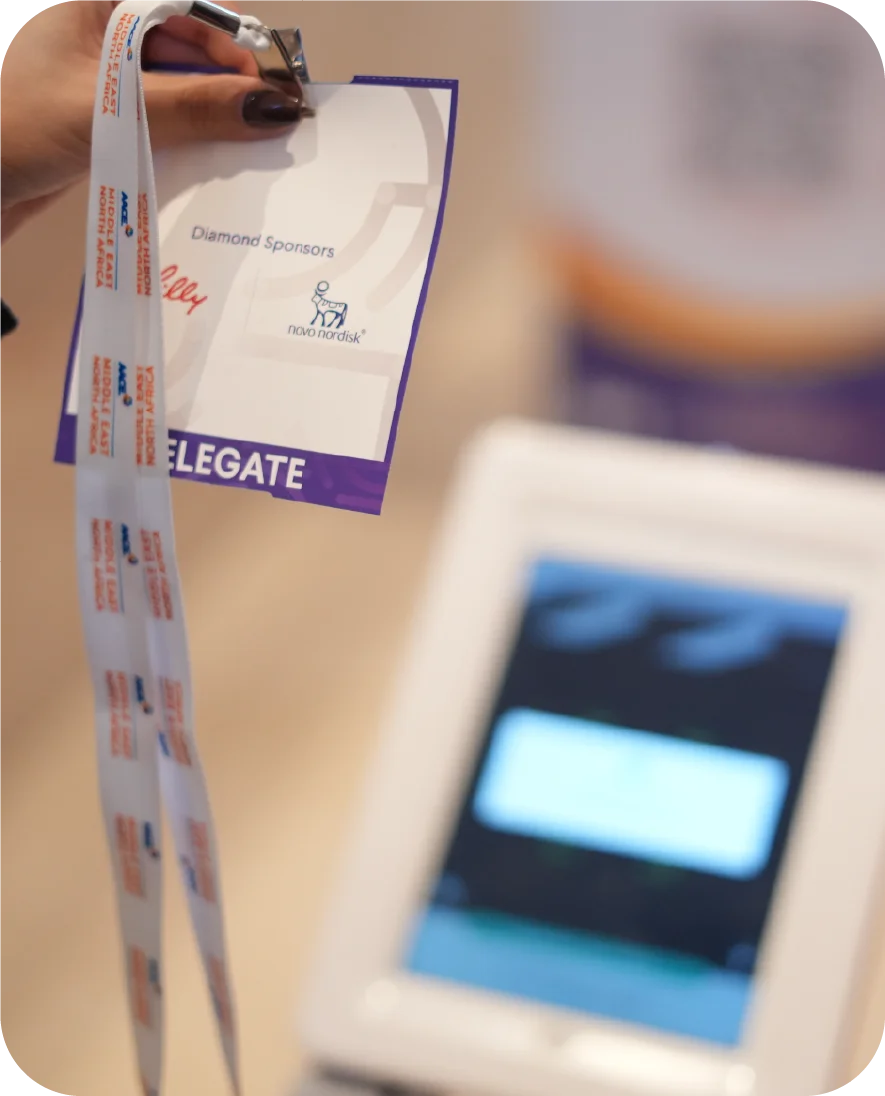
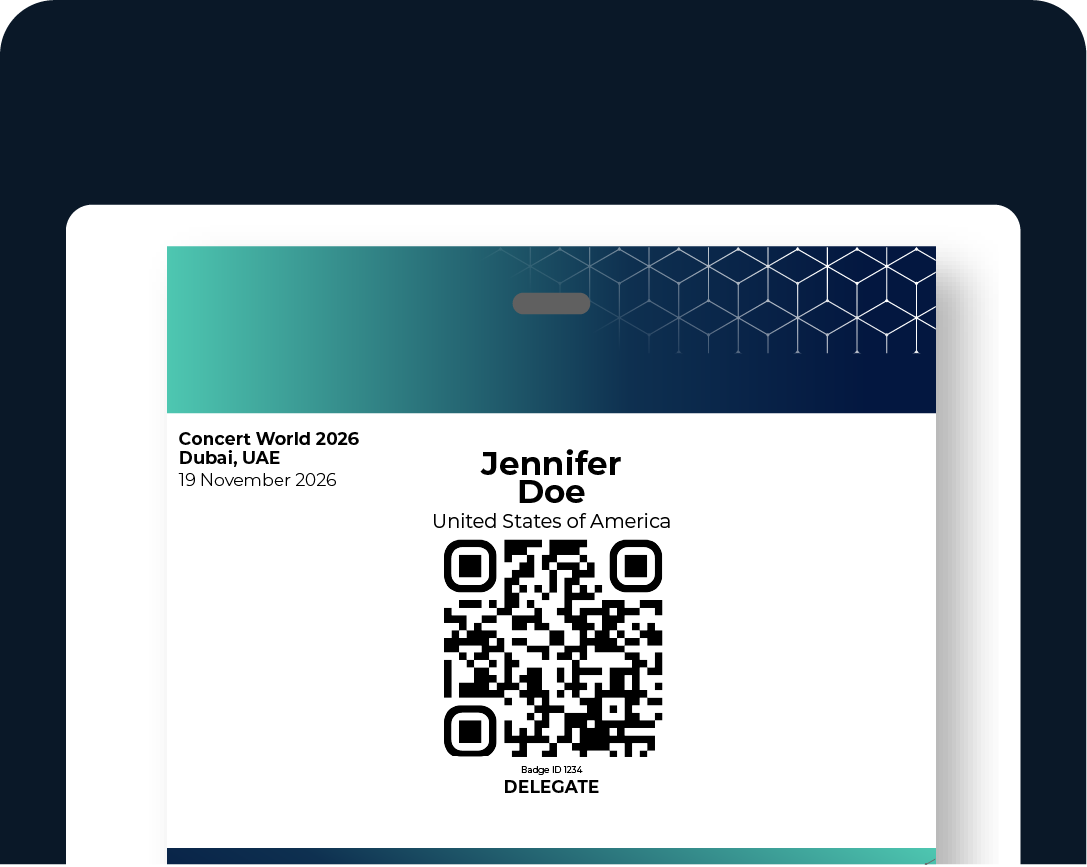
Badges print within 2 seconds of check-in, or print in bulk by attendee type. Thermal printer on tablet or standard printer via laptop.
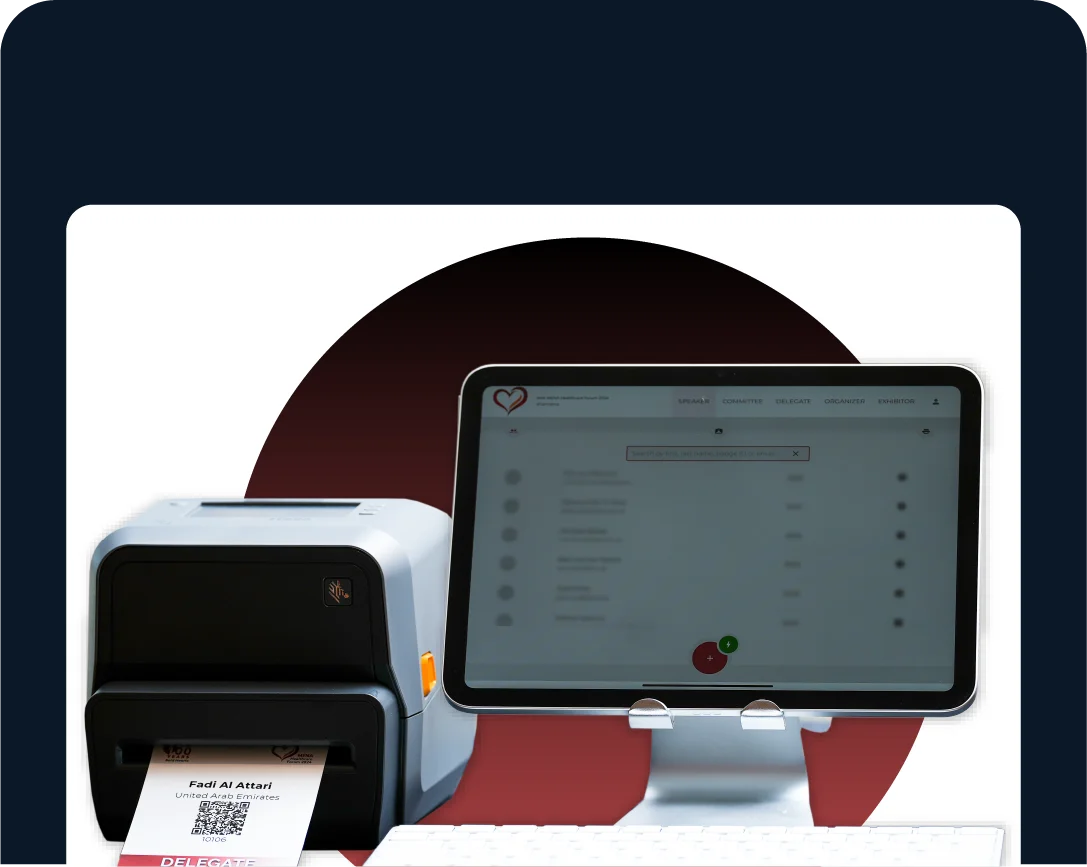
Onsite Registration
Register walk-ins on the spot. Your team selects their ticket, takes payment, and completes a full registration form, or uses Quick Tickets for instant entry.
WATCH YOUR EVENT SELL, ANYWHERE
EV Dash, the free stakeholder dashboard for live event data
EV Dash is the monitoring app that comes complimentary with your Centra subscription. Watch ticket sales build the moment registration opens, from anywhere. Your committee and venue contacts can use it too, with their own login.
ATTENDEE PROFILE
Attendee management at the door
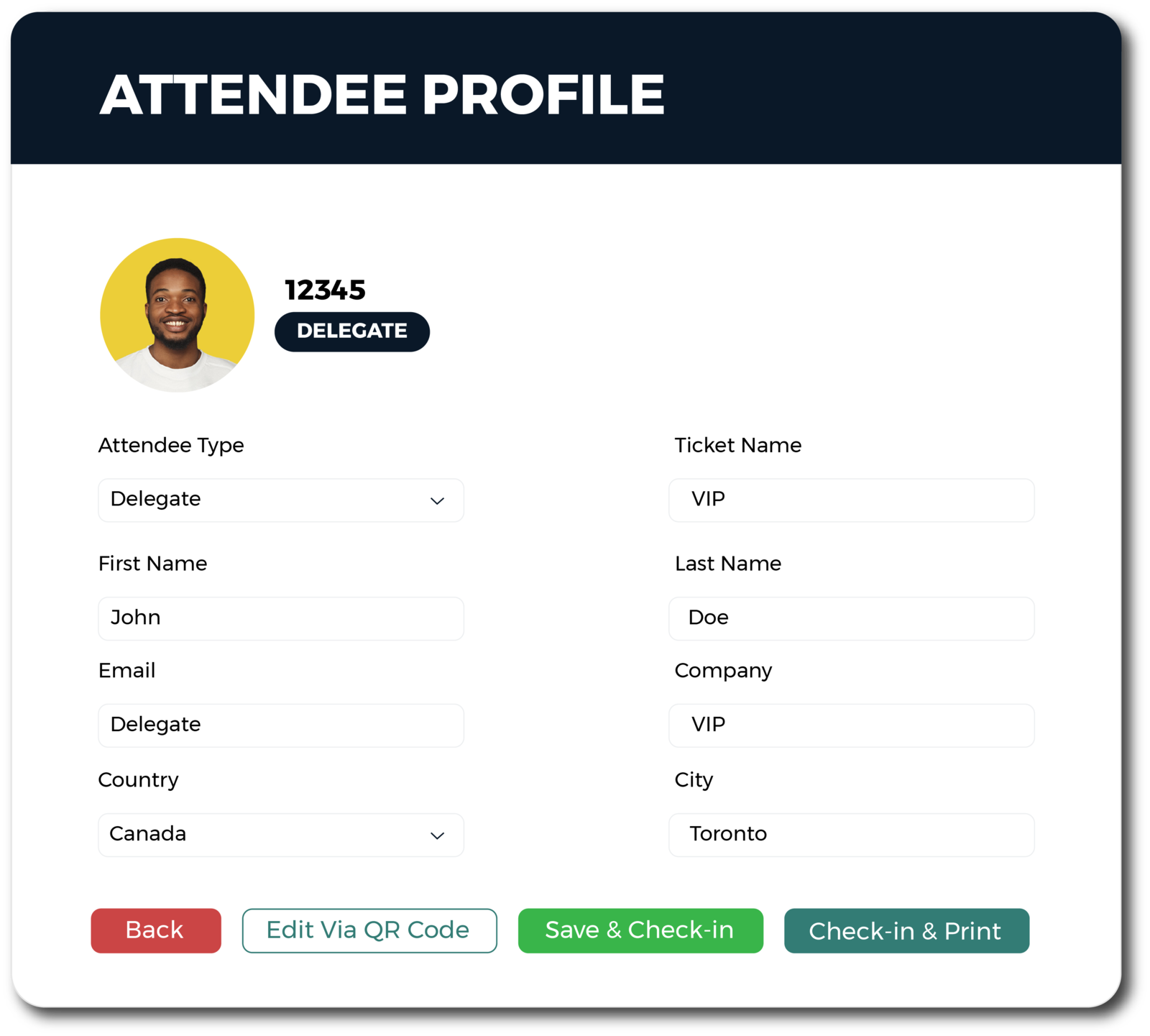
Tap any attendee to open their full profile. View, edit, and act without leaving the app.
- Ticket type and payment statusTicket category, tier, and payment method visible at a glance.
- Profile detailsWhatever fields the organiser built into the profile, all viewable and editable directly from this screen.
- Add-on managementView, assign, or update hotel or session add-ons without going back to Centra.
- Check-in actionsSave and check in, or check in and print a badge in one tap.
- Edit via QR codeGenerate a unique QR code so the attendee can verify their own data on their phone before printing.
APP SETTINGS
App settings and device configuration
The organiser configures each device in the registration area independently from the app settings panel. Every station does exactly the job it was set up for.
Print Settings
Toggle badge printing on or off. Run bulk prints before doors open. Manage Bluetooth printer connections.
Check-in Settings
Set each device to Attendee List view or QR Scan mode. Control whether attendees can edit their profile before check-in.
New Registration
Enable or disable onsite registration per device. Only designated cashier stations can accept new registrations and payments.
Display Settings
Choose which attendee fields appear on the list. Toggle UI elements. Switch between light and dark theme.
Device Settings
Upload event or sponsor banner ads displayed on the scanning screen between scans.
DID YOU KNOW
The badge you print here unlocks more than the door
The QR code on every printed badge is the same QR code EV Scan reads at every checkpoint, hall, and restricted zone you set up. Register here, scan everywhere else, with no extra credentials issued.
DTCM Integrated
Running an event in Dubai? EV Registration is fully DTCM compliant.
For Dubai events, every badge QR code generated by EV Registration is DTCM integrated. The QR code carries the registered attendee’s information and ticket validation data, and can be scanned by Dubai Tourism authorities for compliance verification. The same QR code handles check-in at the registration desk, access control at session checkpoints, and DTCM authority validation, all from one badge.
THE OTHER HALF OF THE STORY
EV Registration runs the door, Centra is where it is built
On the day, EV Registration is what your team runs at the desk. The setup behind it, the station views, the badge design, the registration forms, and onsite payment, is configured once in Centra beforehand.

Centra Platform
Where the organiser configures station views, badge design, registration forms, and payment.

EV Registration App
Where your team checks in attendees and prints badges at the door.
EVERYTHING IS SELF-SERVE
Ready to run your registration area?
Create your account, configure your registration in Centra, purchase EV Reg, download the app, and you are ready to go. No training required, no waiting for setup.
01
CREATE ACCOUNT
Sign up for Centra
02
CONFIGURE
Set forms, ticket types, and badge in Centra
03
PURCHASE EV REG
Activate the service for your event
04
DOWNLOAD THE APP
iOS and Android, free
Have a question? Our team is happy to help. Contact us
EV Scan
Onsite access control and session tracking
The app at every door, every hall, every restricted zone after the registration desk. EV Scan reads the badge, applies the rules you set in Centra, and records every entry and exit so your access data builds itself as the event runs.
Available free on iOS and Android. Requires purchase of Entryvent’s onsite services.
Reads the same QR code as EV Reg
Every QR code generated by Centra, whether it sits on a printed badge, in the attendee’s wallet, or on the ticket, is the same QR code EV Scan reads. No re-issuing credentials between registration and scanning. One QR, one identity, every checkpoint.
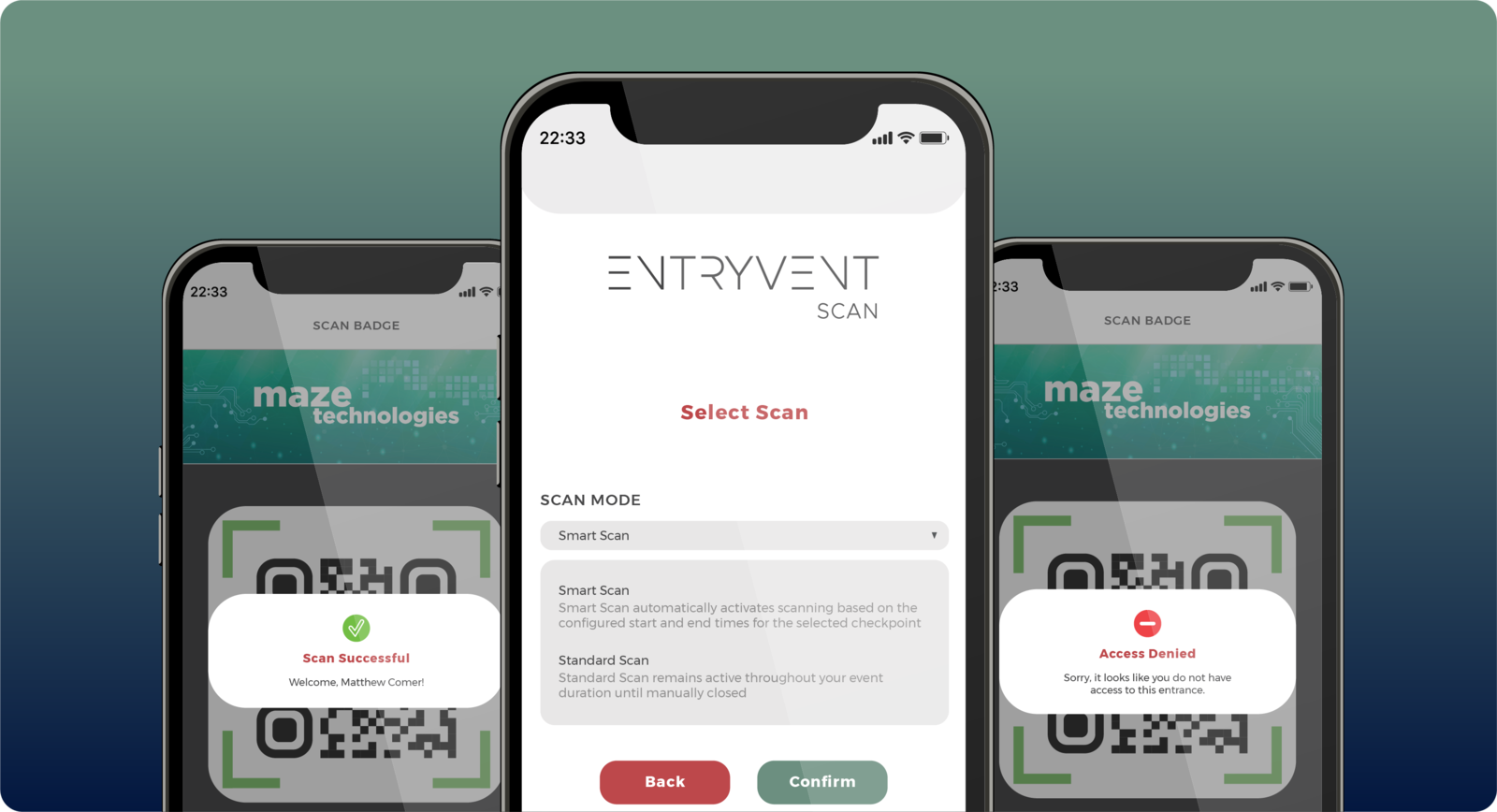
Smart Scan and Standard Scan
Smart Scan for time-bound sessions across multiple learning rooms, with start and end times that govern when each scan opens. Standard Scan for continuous activity at main entrances or open zones, no end time. The mode you set in Centra decides what the app enforces.
Built for lean onsite operations
For events where every attendee registered online, EV Scan runs on its own as a validation-only setup. A leaner, lower per-attendee onsite cost than EV Registration. Walk-up attendees self-register online, no desk required.
Need access rules, checkpoints, and credit points? See the Access Control and Tracking page for the platform-side story.
YOUR EVENT, YOUR CONTROL
Access control in a live setting
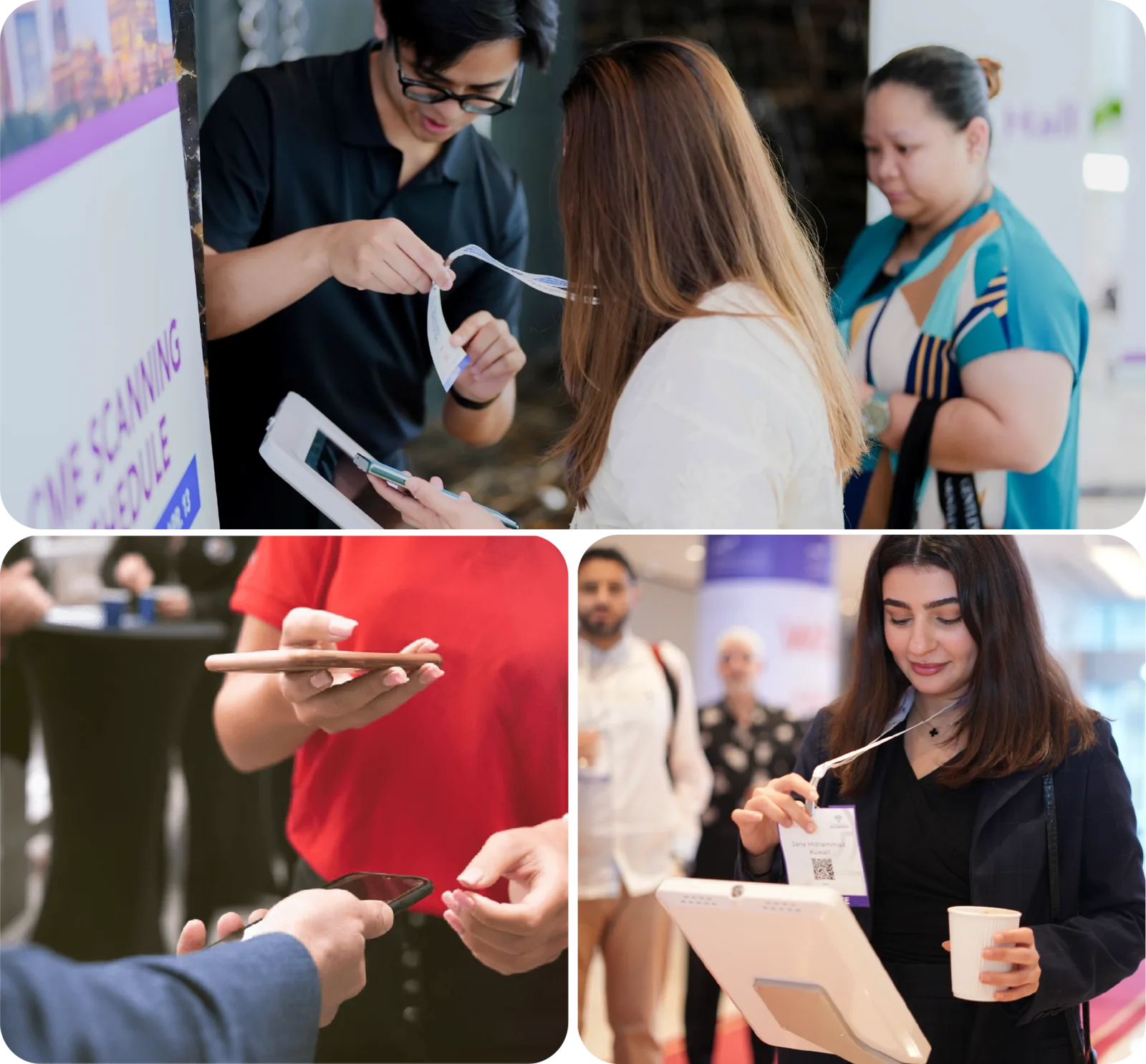
On the day, EV Scan is what your staff hold at every gate, hall door, and session entrance. A quick tap, a clear result on screen, and the next attendee is through. No printed lists, no manual ticking, no bottleneck at the door.
Attendees move where they should, and every scan is counted as it happens
Smooth, controlled entry is part of how a well-run event feels
Want it handled end to end? Our team can run your access control on the floor for you
KEY APP FEATURES
What the app gives your door staff
Built for fast hands and busy gates. Every interaction designed to keep the queue moving.
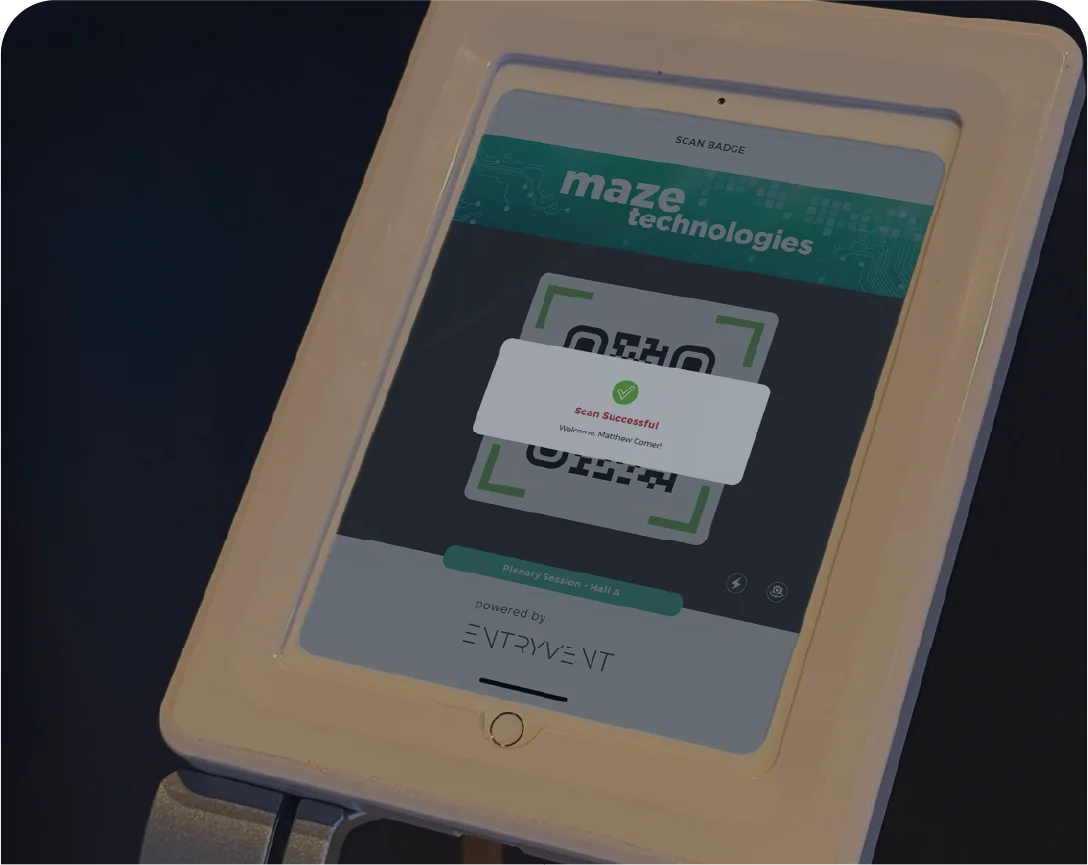
Scan, Confirm, Next
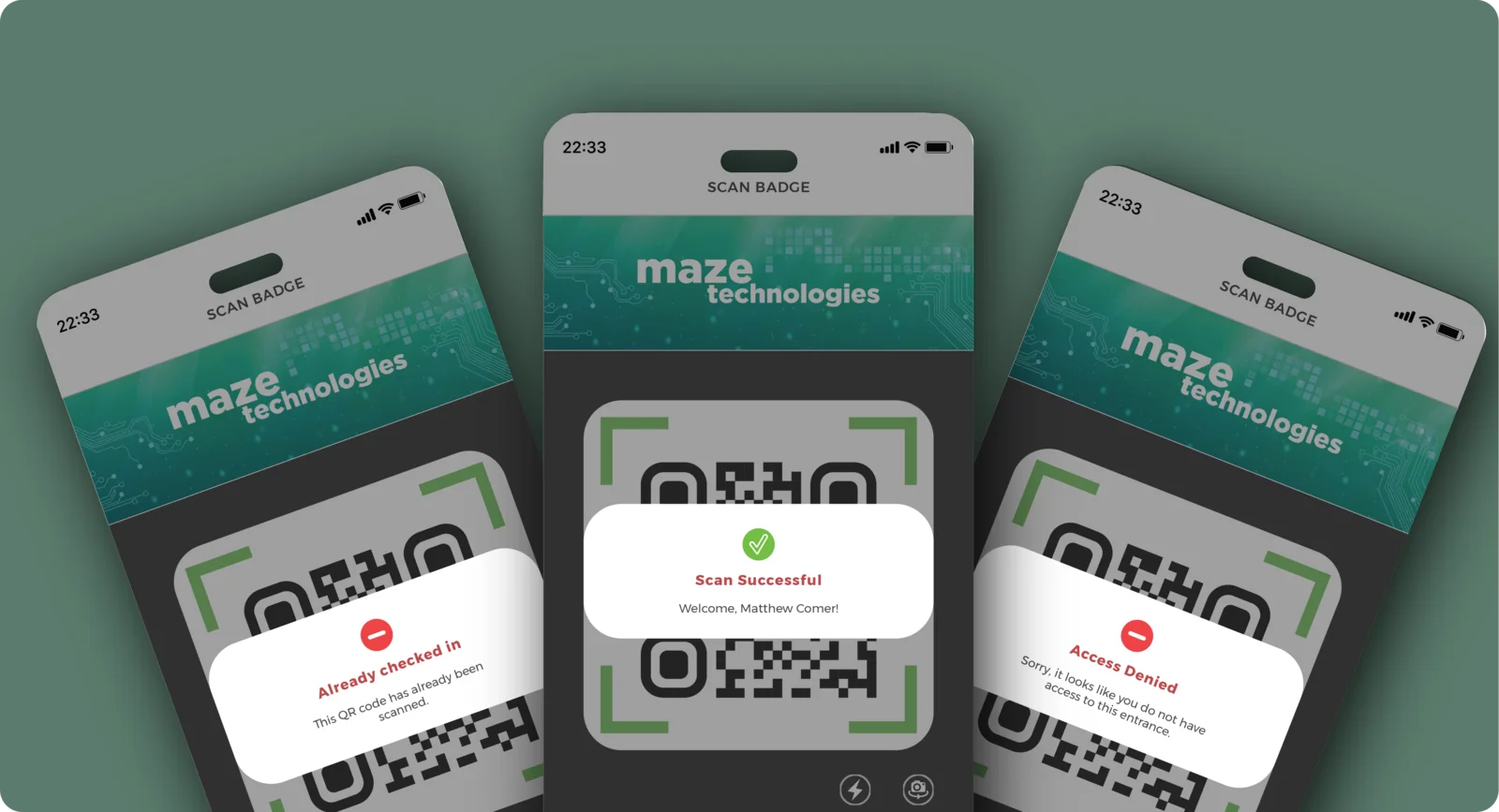
Hold the badge to the lens. A Success banner with the attendee’s name confirms the scan, or a Scan Error shows the reason. The screen returns to the camera, ready for the next attendee.
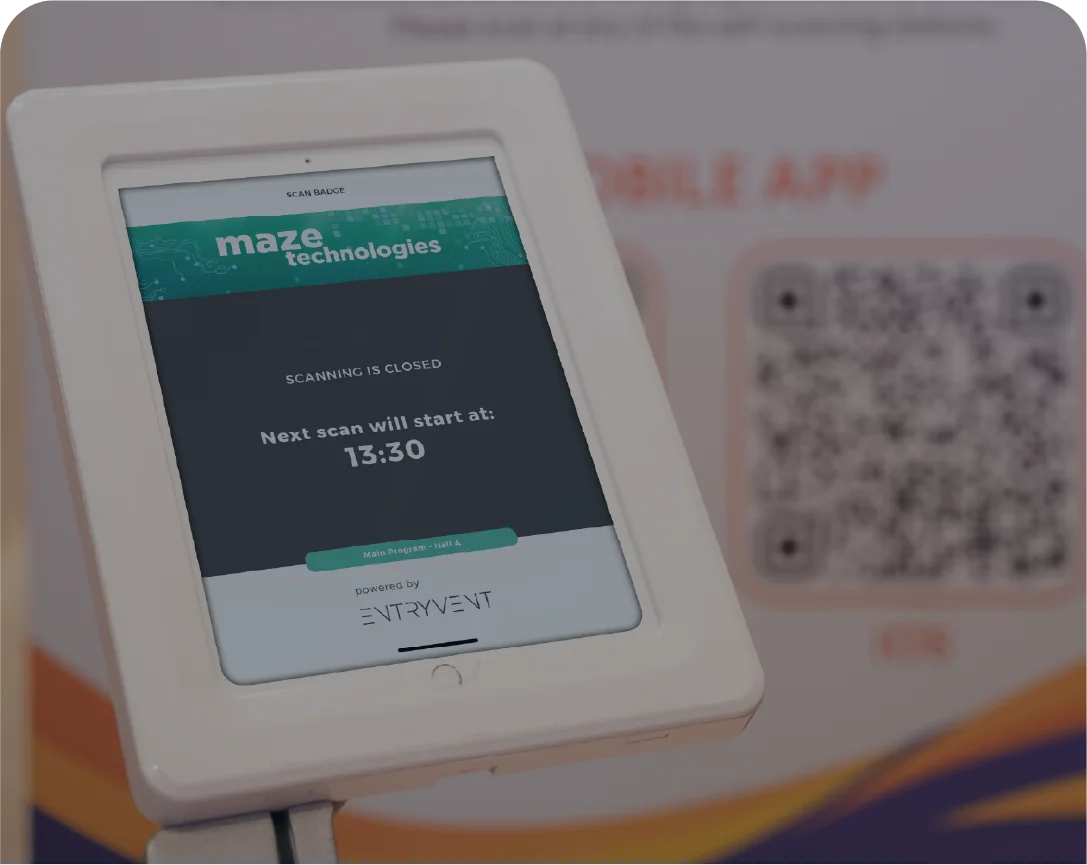
Timed Scan Windows
Each scan opens and closes on the times you set in Centra. When a window closes, the screen shows a clear message with when the next scan opens.
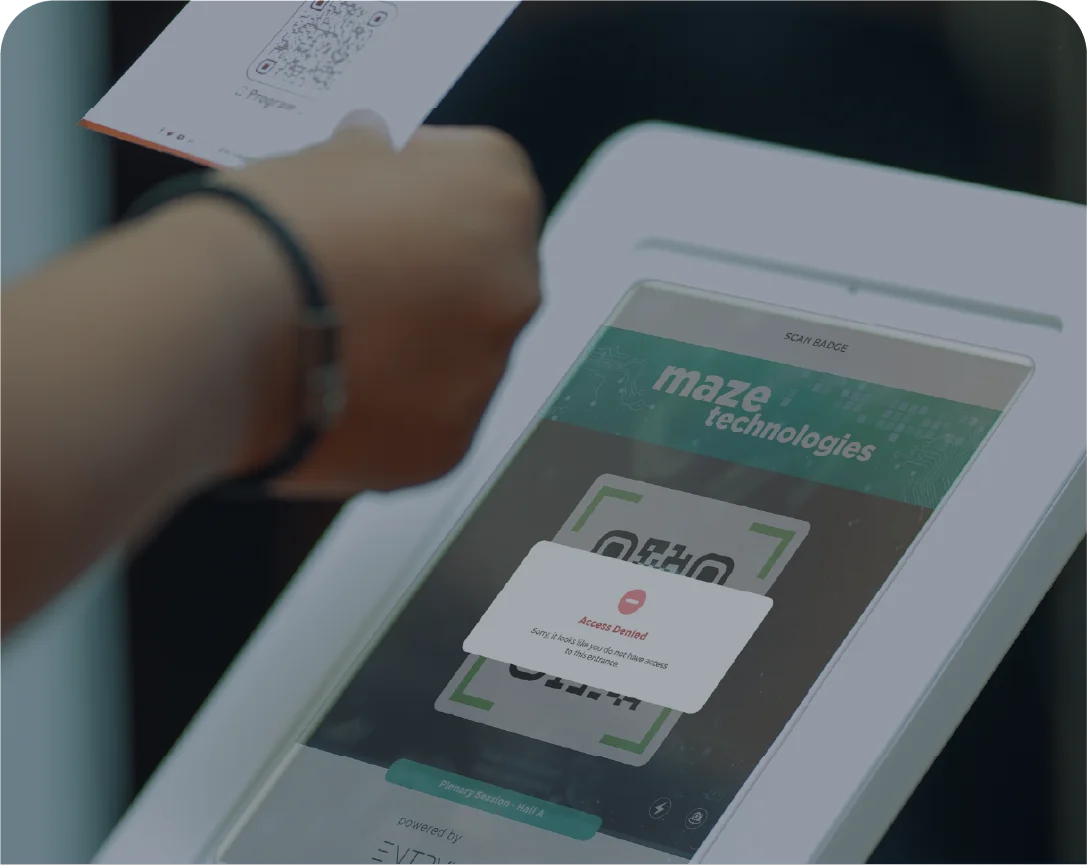
Clear Reason on Refusal
When a ticket does not permit access, EV Scan stops and shows the reason on screen. No staff judgement at the door.
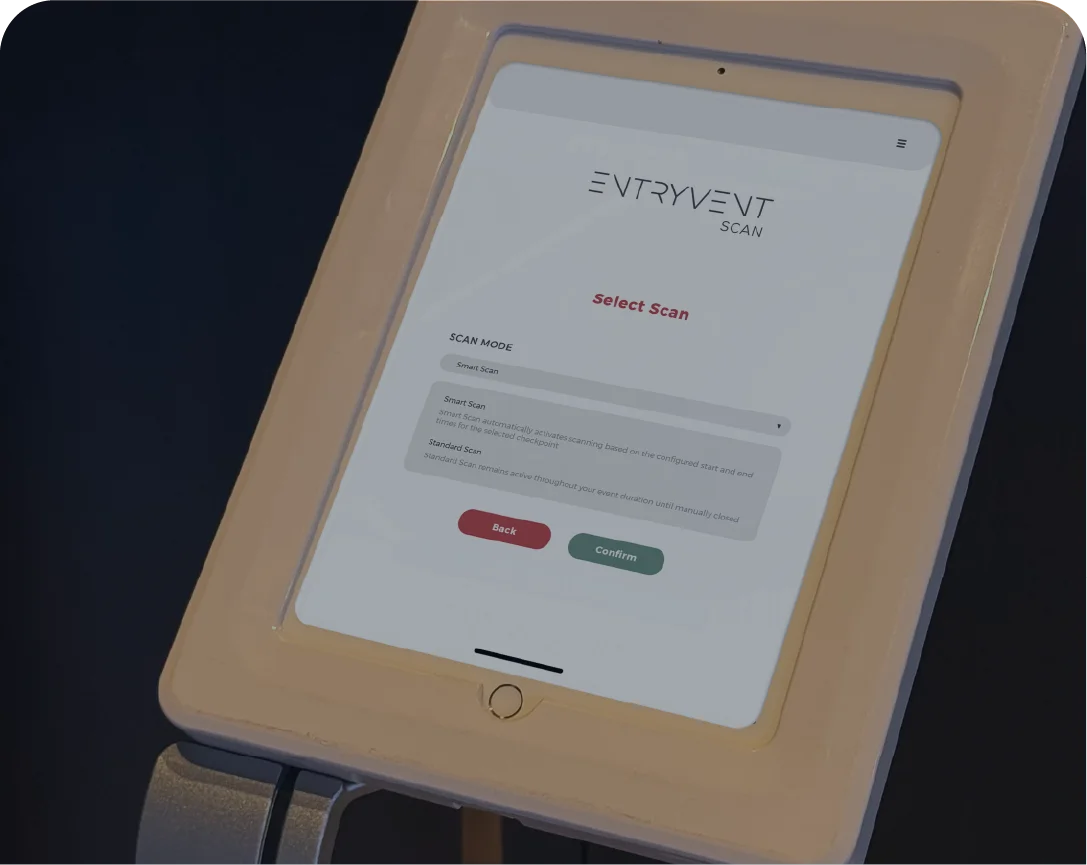
Flexible Device Setup
Any device can run any checkpoint, switched in two taps. Point several devices at one checkpoint to clear queues faster, all flowing into one shared record.
Check-in and check-out — Capture both entry and exit at any scan. Time spent in the room flows back to your reports automatically.
Multi-checkpoint scans — One scan can span several doors at once, so staff across different entrances are all running the same scan. No separate setup per door.
LIVE VISIBILITY FOR STAKEHOLDERS
Live scan attendance, in EV Dash
Every scan flows live into EV Dash, the monitoring app. Session attendance, check-in counts, and live operational data, in your pocket. Your committee and venue contacts watch the room come to life as it happens.
THE SCAN MOMENT
What your door staff see on every scan
Every scan returns a clear result on the device, in less than a second. Staff act on what they see, no second-guessing required.
- Success, welcome with attendee nameA Success banner with the attendee's name slides in from the top. Your staff greet them by name and they walk through.
- Success, already checked-inWhen the same attendee scans twice at the same checkpoint, EV Scan flags it, so your staff know the attendee has already been recorded.
- Scan Error with the reasonWrong ticket type for this checkpoint, outside the scan window, or a checkpoint not covered. Your staff have the answer immediately.
- Active scan labelThe scan name stays visible on screen so staff know which session, hall, or activity they are running.
- Branded scanner bannerThe banner you upload in Centra appears above the scanner, your event identity, or a paid sponsor placement.
- Camera resets automaticallyAfter every result, the camera returns to scanning mode. The next attendee is already up, no host taps required.
TWO SCAN MODES
Two scan modes, set in Centra
Every scan runs in one of two modes, and the mode decides when it is open. You choose it in Centra as you build the scan, and the app enforces exactly what you set.
Standard Scan
Runs continuously with no end time. You set the date it goes live, and from there it stays open for as long as you need. Best for activity that happens throughout the event rather than at a fixed moment.
Main entrances and open zones where attendees arrive throughout the day
Booth scans where a sponsor captures leads for the whole event
Smart Scan
Opens and closes automatically on the times you set, scoped to a specific checkpoint. When the window ends, the scan closes on its own and the screen shows when the next one opens. Attendance is tied to the moment it actually happened.
Agenda-driven sessions and accredited halls
Sessions where credit depends on attending within the window
THE HOST JOURNEY
Three steps to start scanning at the door
Hosts never need training. The whole flow takes seconds. Pick your event. Pick your scan. Start scanning. The device handles transitions automatically.
01
Select event
Hosts open the app and pick the event they are working. One dropdown, one tap.
02
Select scan mode and checkpoint
Two dropdowns on a single screen. The device runs whatever scan Centra has configured for that combination.
03
Scan badges
Each scan returns Success, Already Checked-In, or Scan Error. The camera resets automatically between scans.
04
Between scans
When a scan window closes, the device shows the time of the next scheduled scan. The device opens the next scan automatically.
THE OTHER HALF OF THE STORY
EV Scan is the app, Centra is where you build the rules
On the day, EV Scan is what your door staff run at every gate. The setup behind it, the scans, checkpoints, time windows, ticket restrictions, and credit rules, is configured once in Centra beforehand.
Centra Platform
Where you set checkpoints, scans, rules, and credits.

EV Scan App
Where those rules are enforced live at every gate.
EVERYTHING IS SELF-SERVE
Ready to run your access control?
Create your account, build your scans and checkpoints in Centra, purchase EV Scan, download the app, and you are ready to go. No training required, no waiting for setup.
01
CREATE ACCOUNT
Sign up for Centra
02
BUILD YOUR SCANS
Set checkpoints, rules, and time windows
03
PURCHASE EV SCAN
Activate the service for your event
04
DOWNLOAD THE APP
iOS and Android, free
Have a question? Our team is happy to help. Contact us
EV Lead
Built for the people who sponsor your event
Your sponsors and exhibitors come for one reason: to meet people and leave with business. EV Lead gives their team a fast, simple way to capture every conversation that matters and walk away with leads they can act on the moment the doors close. And because they invited their own guests too, it shows them who actually turned up.
Available free on iOS and Android, for every company you sponsor.
Built around what they sell
Every company knows what its sales team needs to ask. They shape their own lead capture with their own questions, so every lead comes back already framed for their follow-up, not a generic list of names.
Meet more, miss nothing
A conversation becomes a captured lead in seconds, rated and noted while it is still fresh. The team spends the day talking to people, not wrestling with data or worrying a good contact slipped away.
Leads ready to action
Captured leads land in each team member’s own login, qualified and waiting. The moment the event ends they are following up, while everyone else is still sorting through a pile of business cards.
This page is about the experience EV Lead gives your sponsors. For how they are set up, the permissions, allocations, and the organiser to Exhibition Manager handover, see the Sponsor and Exhibitor Leads page.
THEIR BOOTH, THEIR LEADS
Lead capture on the show floor
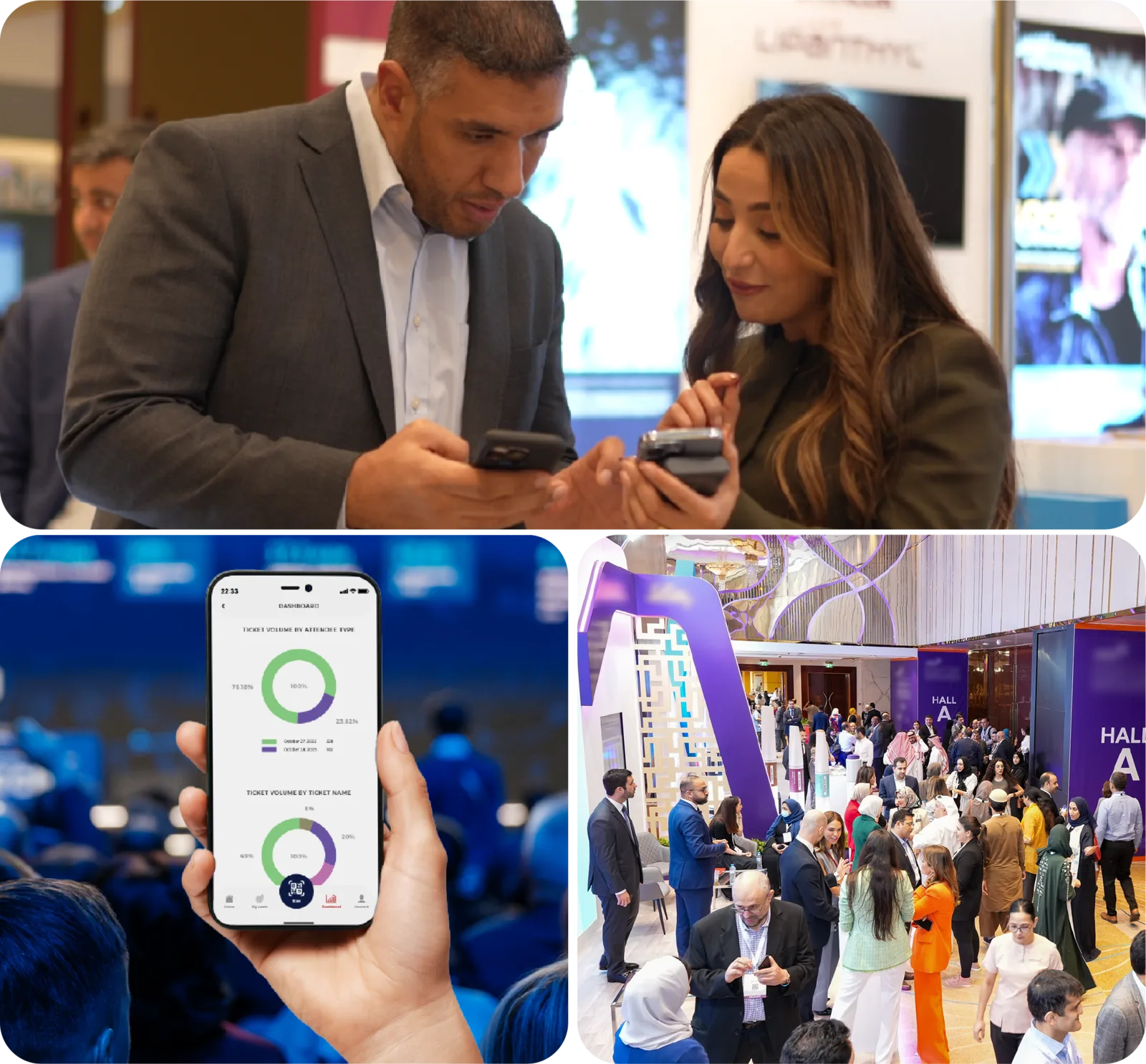
On the exhibition floor, every conversation at a stand is a potential lead. A quick scan of the attendee badge, a rating, a note, and the contact is captured while the conversation is still warm. No business cards to lose, no end-of-day data entry.
Sponsors leave with qualified leads already in hand, knowing the event was worth it
That is what brings them back next year
Want it handled end to end? Our team can set up EV Lead for every sponsor for you
KEY APP FEATURES
What the app gives your lead scanners
Built for booth-side speed. Every interaction designed so the next conversation does not have to wait.
- QR-code scanningReads the same badge QR your attendees received from registration. No re-issuing, no separate credentials, one identity from check-in to follow-up.
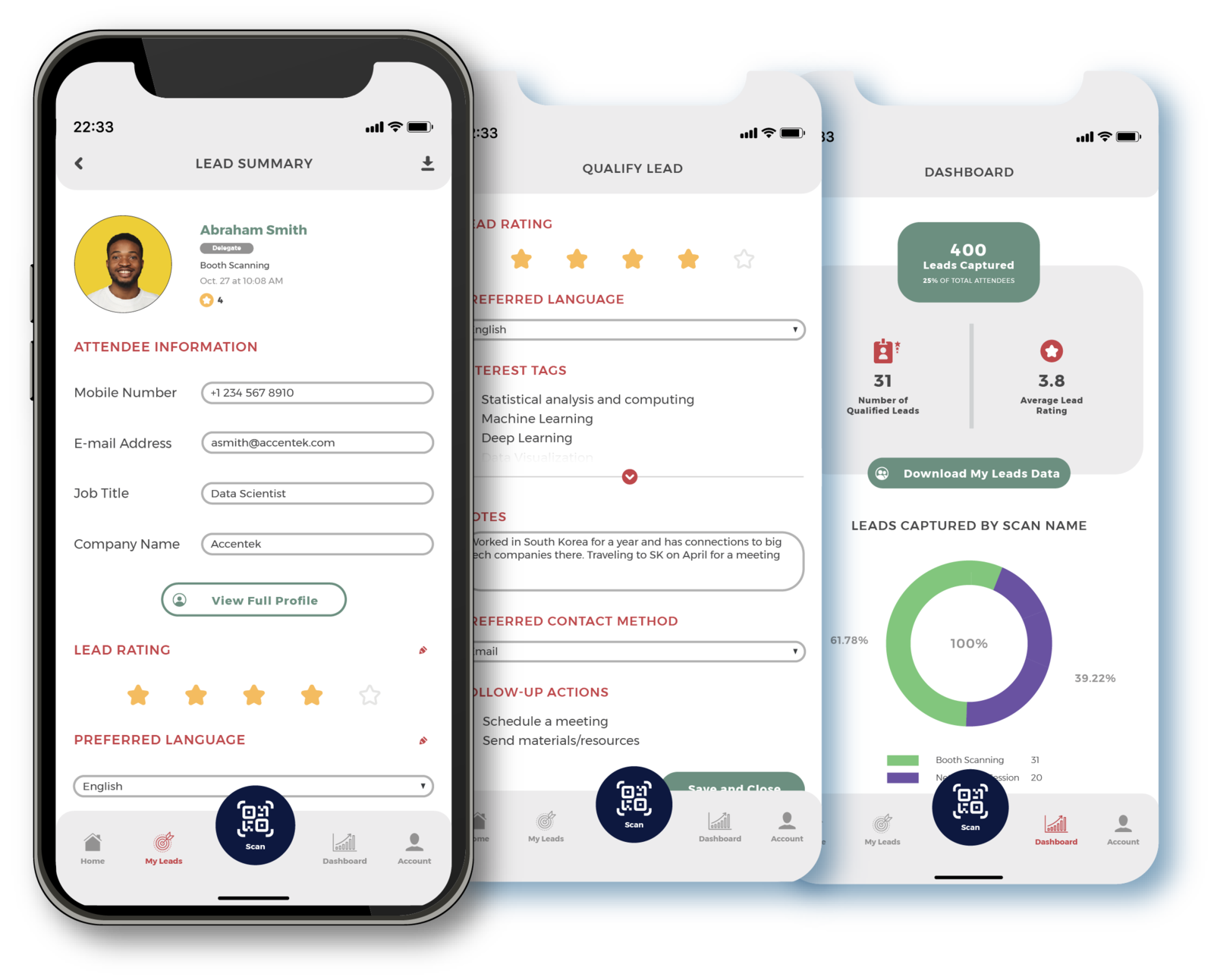
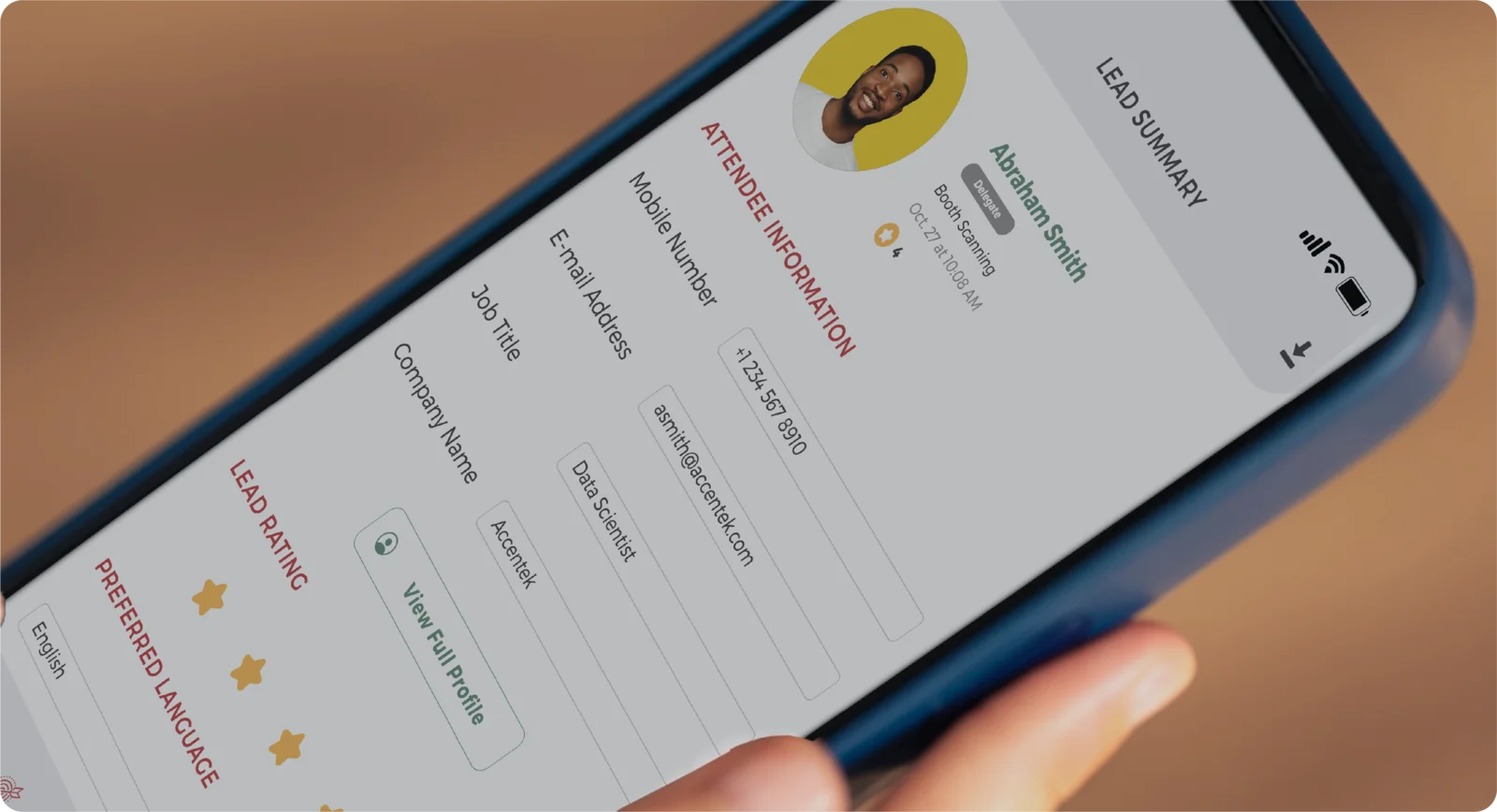
- Lead qualificationRate the lead, tag interests, set follow-up actions, and capture free-text notes, all from one screen. The form is configured by the Exhibition Manager once for the whole team.
- My Leads on deviceEvery lead the scanner captures is visible on their device to view, edit, or delete. A four-digit PIN keeps the data protected on shared tablets.
- Instant CSV exportExport the full lead list to email or device at any point during or after the event. All ratings, tags, notes, and follow-up actions included.
LIVE ON THEIR PHONE
The numbers, while it is still happening
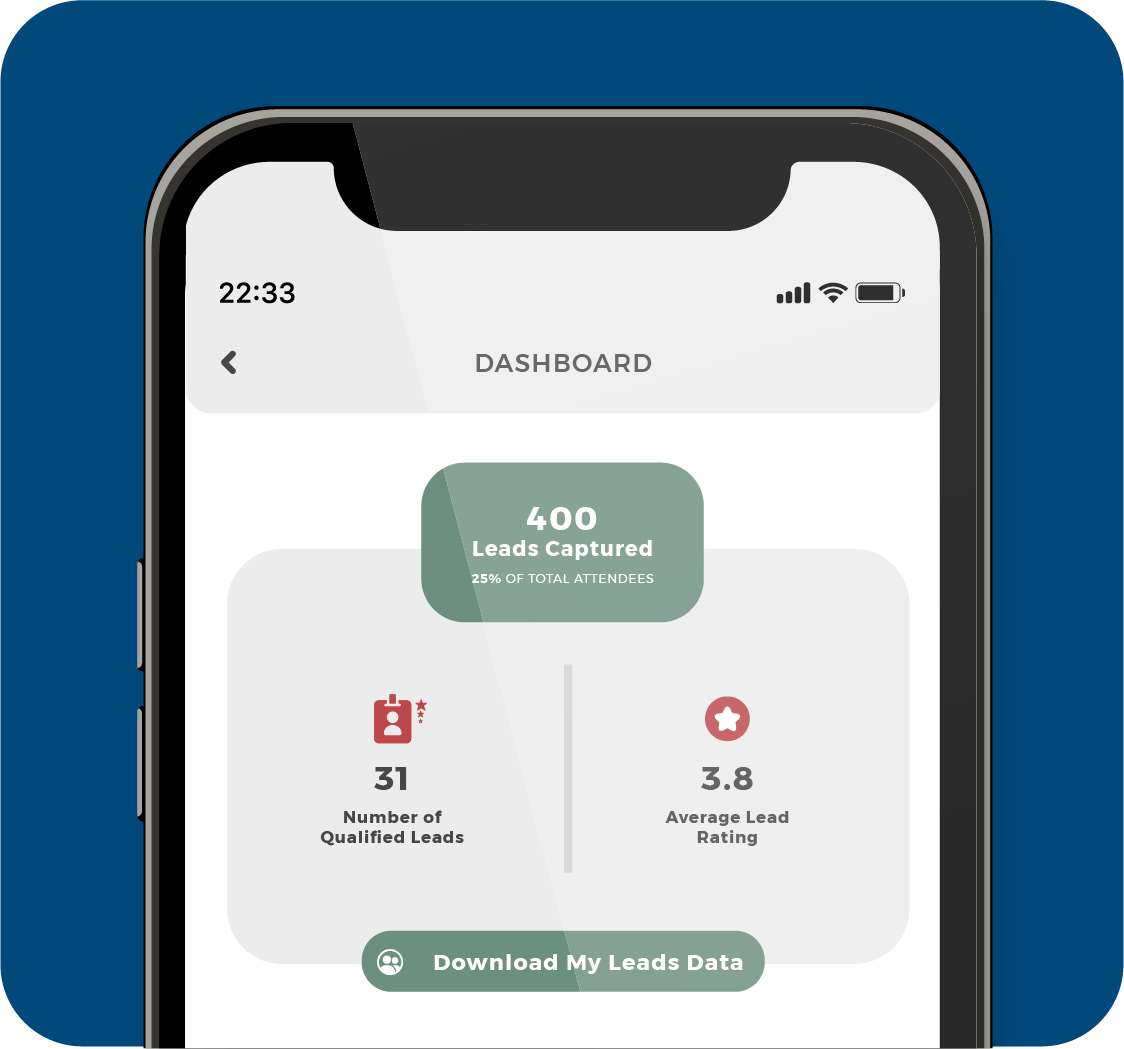
The EV Lead app has a dashboard built in. Leads captured, qualified leads, average rating, and a live breakdown by scan, right there on the device as the team works. They see how the day is going between conversations, without waiting for a report or asking anyone.
THEIR INVITED GUESTS
They see their investment working, live
Sponsors do not only capture leads. They bring their own invited guests, and they have paid for the travel, the rooms, and the tickets. EV Lead turns that uncertainty into a live, honest view of who is really there.
01
Who has arrived
Live check-in for every guest a sponsor invited. They can see, in real time, how many of the people they brought have walked through the door.
02
Where they went
Beyond arrival, the full tracking picture, which halls and sessions their guests attended, lives in Centra. How engaged their people really were.
03
Make the talk pay off
Bought a commercial session? The team scans attendees with a dedicated scan the organiser set up. The talk becomes leads, not just a slot on the agenda.
04
Proof it paid off
Attendance and engagement become a clear return they can take back to their own stakeholders. No more wondering whether the spend was worth it.
THE OTHER HALF OF THE STORY
EV Lead is the app, Centra is where the sponsors are set up
On the day, EV Lead is all the booth team touches. The setup behind it, sponsor companies, Exhibition Managers, allocations, and what each company can scan, is done once in Centra beforehand.
Centra Platform
Where the organiser sets up sponsor companies, Exhibition Managers, and scan configurations.

EV Lead App
Where Lead Scanners capture and qualify leads at every booth and sponsored session.
YOUR PART IS SIMPLE
Ready to set up your sponsors?
Assign an Exhibition Manager to each company and allocate their complimentary tickets. From there, the Exhibition Manager takes over. No training required, no waiting for setup.
01
ASSIGN MANAGER
Bring each company on in Centra
02
ALLOCATE TICKETS
Set how many each company gets
03
MANAGER TAKES OVER
Lead scan, ticket holders, and company users
04
THEIR TEAM SCANS
iOS and Android, free
Have a question? Our team is happy to help. Contact us
EV Dash
Live event monitoring for you and your stakeholders
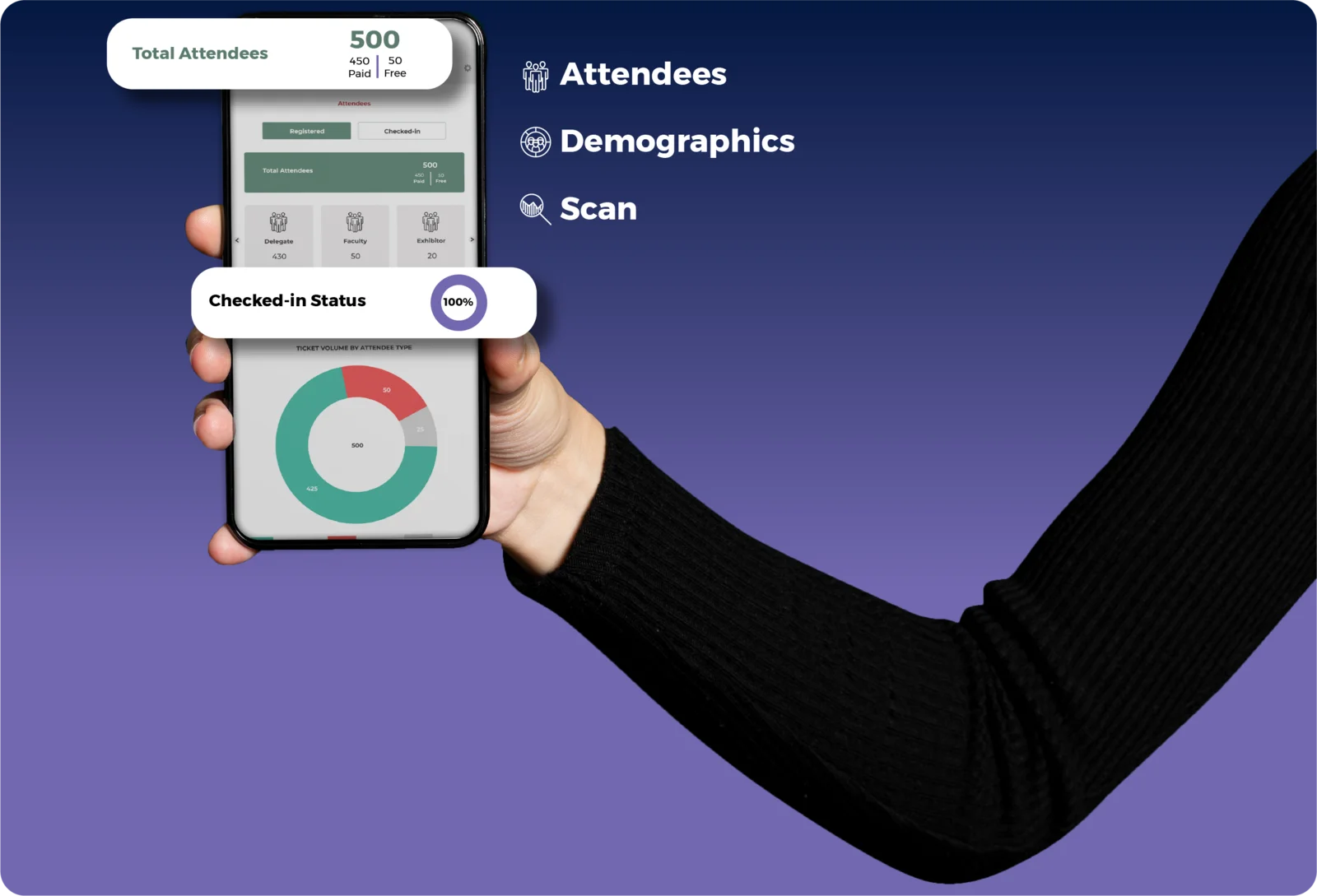
EV Dash puts your live event in a pocket. Attendees, demographics, and scan activity, registered or checked-in, on a phone, so your stakeholders can follow the event without a Centra login. The same numbers you watch in Centra, ready to hand to the people who want to see how it is going.
Free on iOS and Android. Complimentary with Centra, no purchase required.
One set of numbers, everyone sees it
The data your stakeholders see is the same data you see, drawn live from the event. No separate spreadsheet, no version a day behind, one source of truth in everyone’s pocket.
No more status update calls
Your stakeholders stop calling to ask how it is going. They open the app and see it for themselves, which frees your team to run the event instead of fielding questions.
Complimentary, always
EV Dash is the one app in the suite you never pay for. Free on iOS and Android, included with your Centra subscription, so handing the live view to a stakeholder costs you nothing.
THE EVENT IN THEIR POCKET
They watch it working, live
Your stakeholders want to know the event is going well. EV Dash gives them that reassurance directly: registrations climbing, attendees checking in, halls filling, all on their own phone, the moment it happens.
The difference between telling your stakeholders the event went well and showing them
Registrations, check-ins, and hall activity, live on their own phone
Their own login, or a generic one you share
KEY APP FEATURES
What the app gives your stakeholders
Three live views, each a tap apart, each switchable between registered and checked-in.
- AttendeesTotal attendees, paid and free, check-in status, and ticket volume by attendee type and ticket name. The attendee report exports straight from the app.
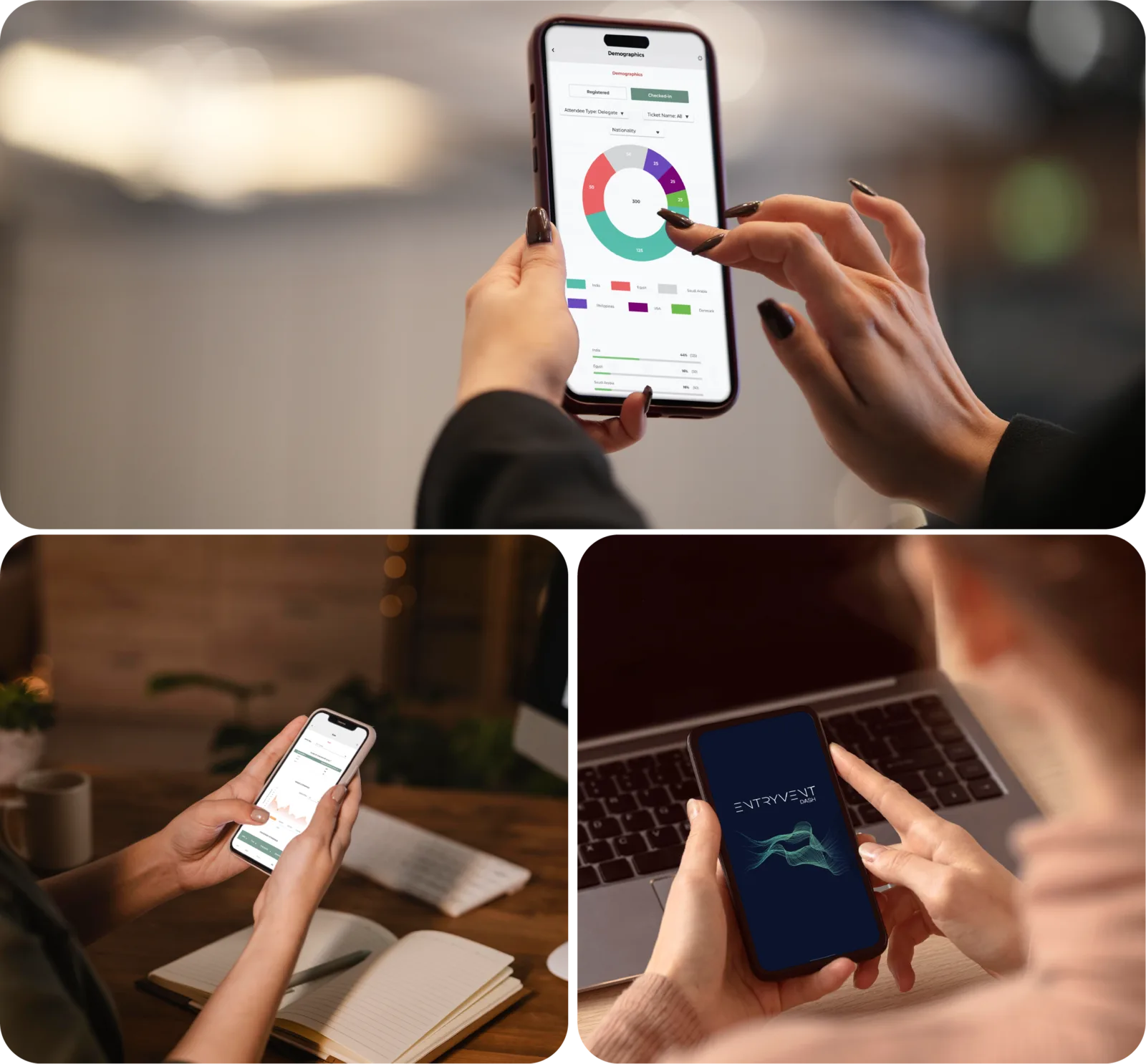
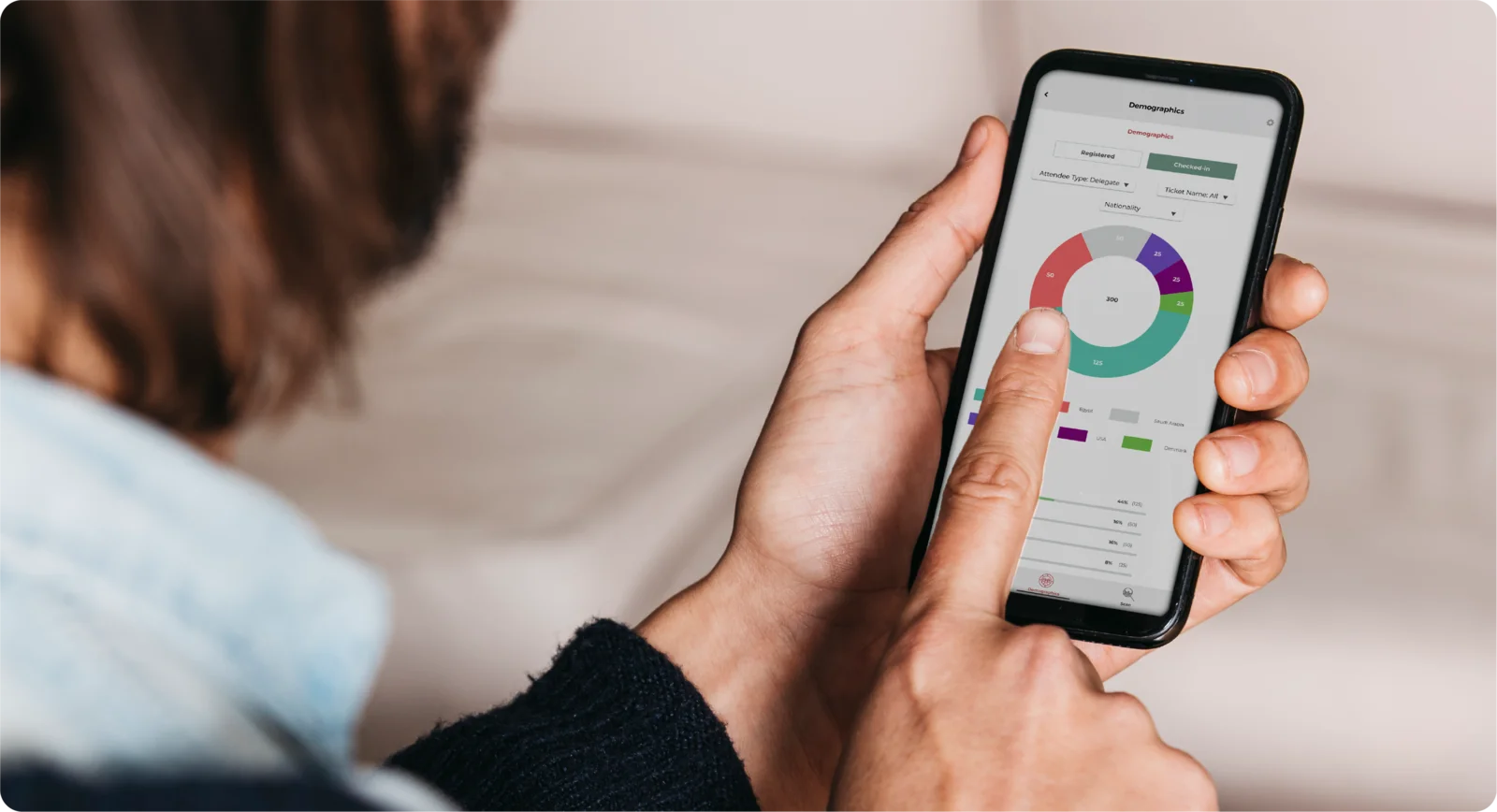
- DemographicsThe audience by nationality, with filters for attendee type and ticket name. Built from the questions you set in your registration form.
- ScanScans by checkpoint live, unique attendance across the day, and checkpoint attendance by time. The same scan data your team works from in Centra.
- Registered and checked-inEvery view flips between what was expected and what is actually happening, so the gap between sign-ups and arrivals is always one tap away.
THE OTHER HALF OF THE STORY
EV Dash is the live view, Centra is where the reports live
EV Dash is the app your stakeholders hold. The reports you build, filter, and export, ticket sales, attendee registration, and scan, live in Centra. Same data, two homes: one for watching, one for working.

EV Dash App
Where you and your stakeholders watch the event live, on a phone.

Centra Reports
Where you build, filter, and export the full event reports.
COMPLIMENTARY WITH CENTRA
Ready to keep everyone in the loop?
EV Dash comes complimentary with Centra. The whole setup is four steps, and the people you share it with are watching the event live in minutes.
01
DOWNLOAD THE APP
Free on iOS and Android
02
LOG IN
A login they confirm, or a generic one you share
03
SELECT THE EVENT
Pick the event to monitor
04
WATCH IT LIVE
Registered and checked-in, in their pocket
Have a question? Our team is happy to help. Contact us
GET STARTED
Need help? We are here.
Explore Entryvent to unlock endless possibilities and turn your dream event into a reality.