


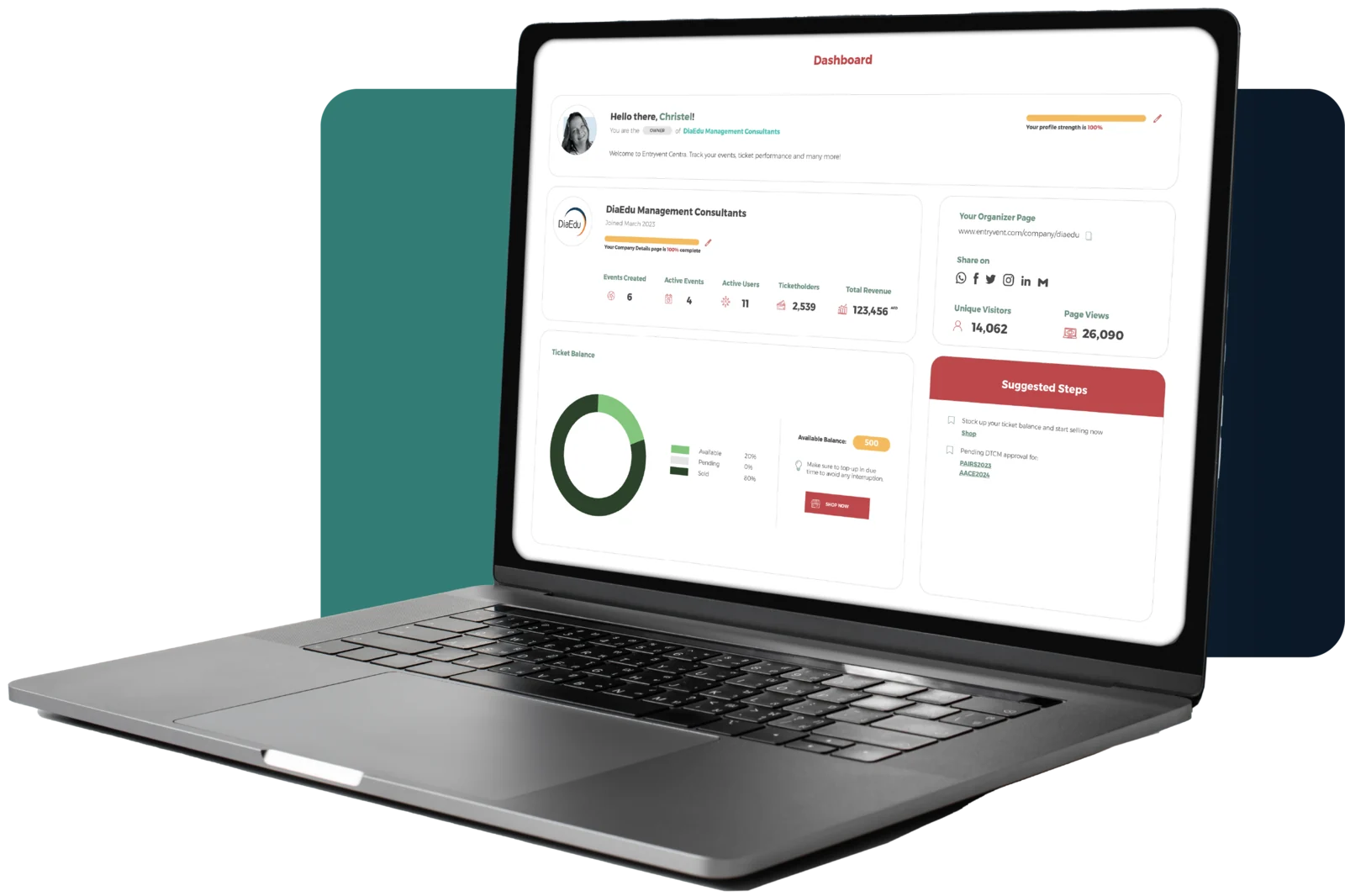
Centra collects every signal your event generates — ticket sales, registrations, scans, credit points — and turns them into the decisions you actually need to make. Set up what matters in Centra, let the system measure it as the event runs, and act on what you see.
HOW IT WORKS
You set up what to measure. Centra collects it live.
You set up what you want to measure in Centra. The system collects it as the event runs. You get the answers in dashboards and reports you can share.
 Set in Centra
Tickets, registration fields, checkpoints, accreditation points. You decide what matters before the doors open.
 Collected automatically
Every ticket sold, every form submitted, every scan at every checkpoint flows into the dashboard, with no manual entry.
 Available live
Numbers refresh as they happen. Decisions ride on what is happening right now, not on a recap email tomorrow.
WHAT THE DATA HELPS YOU DECIDE
Three moments where the data helps you decide.
Reports are not the destination. The decisions you make with them are. Centra surfaces the data at three moments that matter: while you are selling, while the event is running, and after it is over.
Moment One · Pre-Event
While you are selling: are we on track?
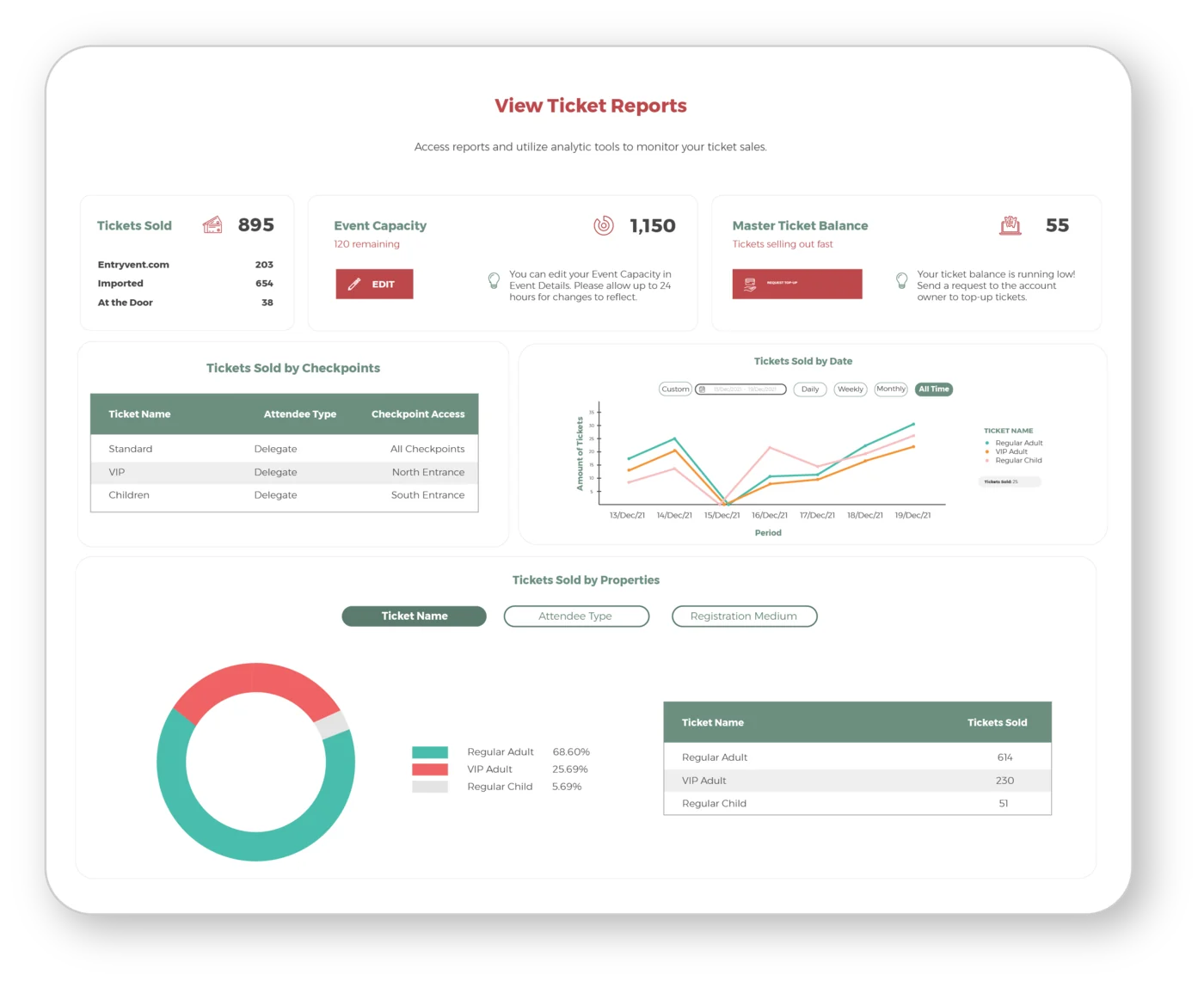
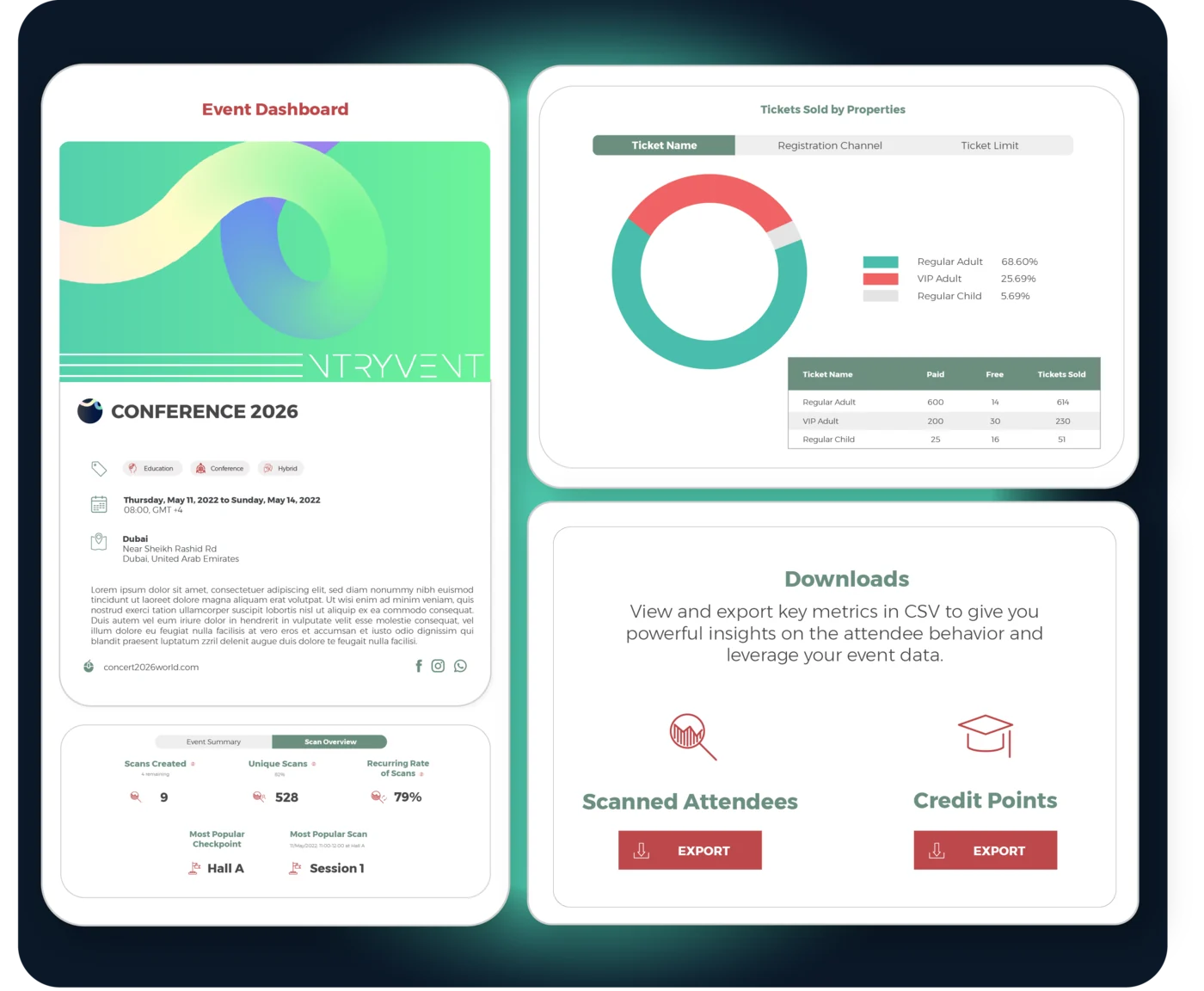
Before the doors open, the question is simple. Are tickets moving fast enough, are we close to capacity, and is anything stuck. The Event Dashboard answers it at a glance: ticket balance, capacity, tickets sold by type.
The Ticket Report goes deeper, with sales over time, sales by discount code, add-ons sold and ticket access by checkpoint, plus date-range filters and exports when you need to share with finance. The Attendee Report shows who is registering, so you can see demand building in a country or segment while there is still time to act on it.
Push promotion harder this week, or hold steady
See which discount codes are working, and which are not
See which add-ons are selling, and push the ones that are not
Spot where demand is sparking, by country or segment, and aim a campaign to grow it
What you see here is ticket sales performance. For the income itself — earnings, payouts and VAT-compliant records — see the Financials panel on the Manage and Track page.
Moment Two · Live
While the event is running: is it going well?
Once the event is live, the question shifts to right now. Who has checked in, which entrances are busiest, which halls are filling, which sessions have not started yet.
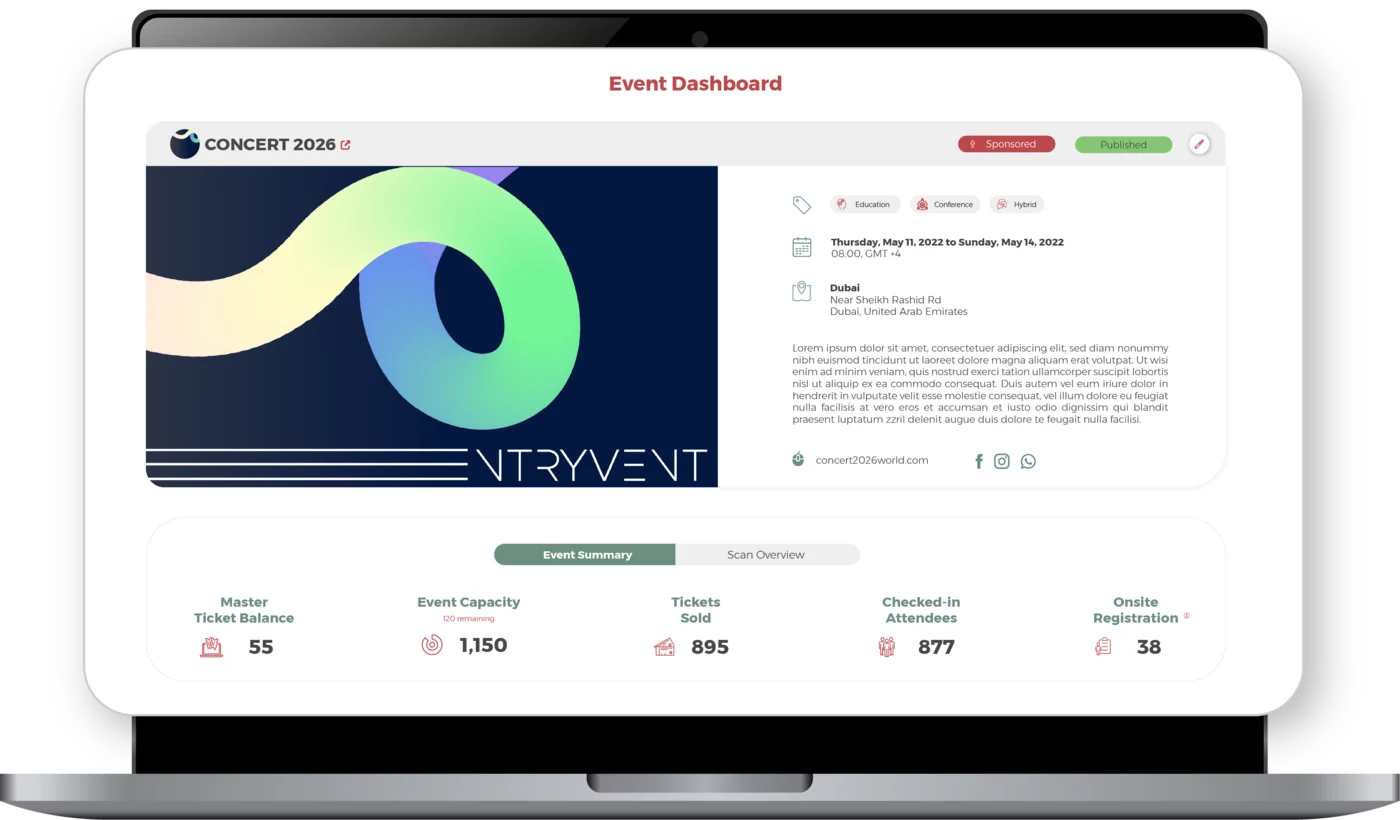
The Event Dashboard’s live tiles show check-in count, onsite registration count, ongoing scans by hall and check-in status percentage. Your decisions ride on what is happening, not on a recap email.
Redeploy staff to a busy entrance
Announce a quiet session before its slot ends
Add staff to the walk-up desk as onsite registrations climb
See sponsored sessions filling, or not, in real time
Need the same live view in the pocket of a client, committee member or venue contact who does not log into Centra? EV Dash carries the live data to their phone, complimentary with Centra. See EV Dash on the Onsite Event Apps page.
Moment Three · Post-Event
After it is over: what worked, what to renew.
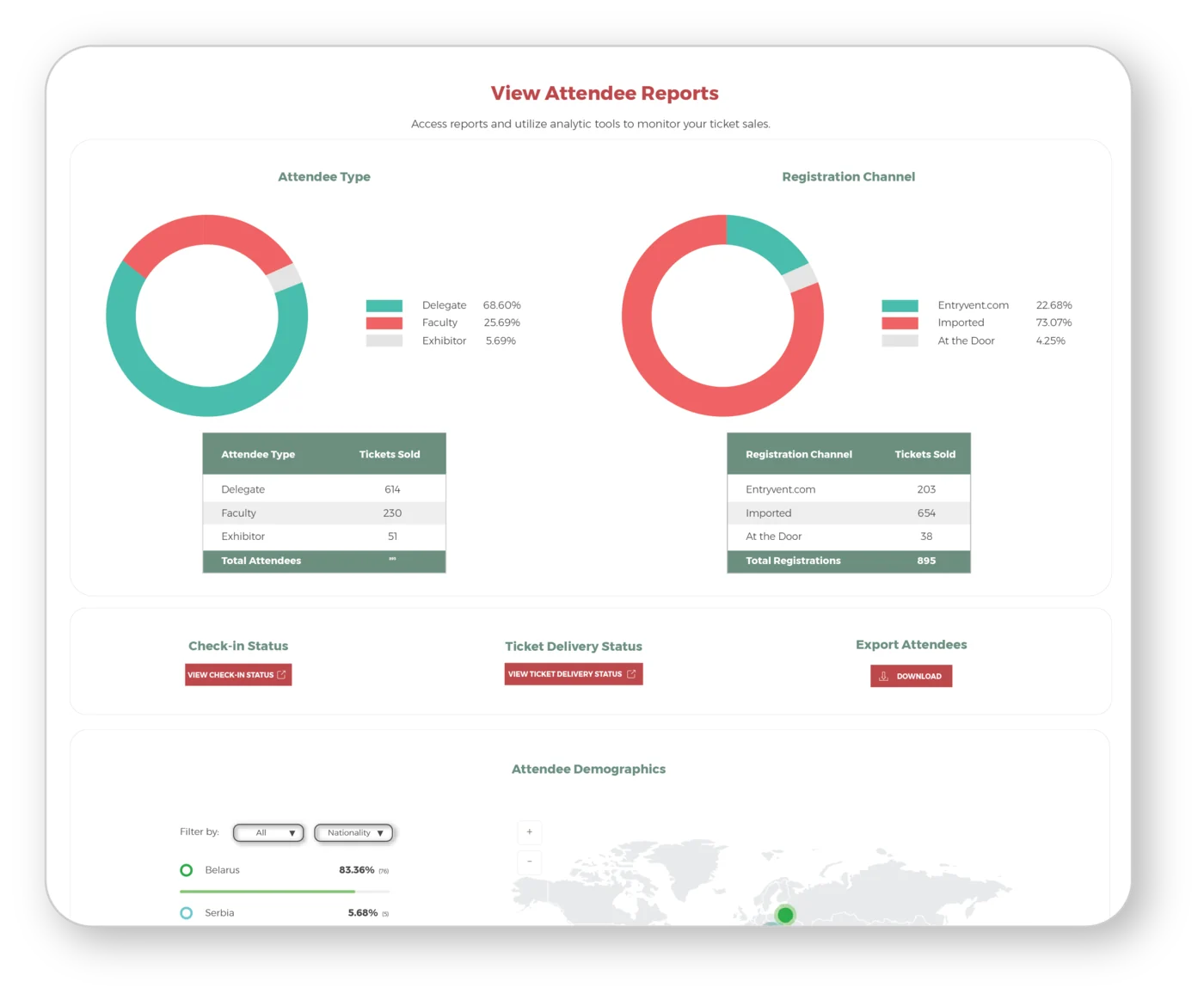
Once the event is closed, the data turns into evidence. Who actually showed up, what their profile looks like, which checkpoints saw the heaviest flow, and how many accredited hours each attendee earned.
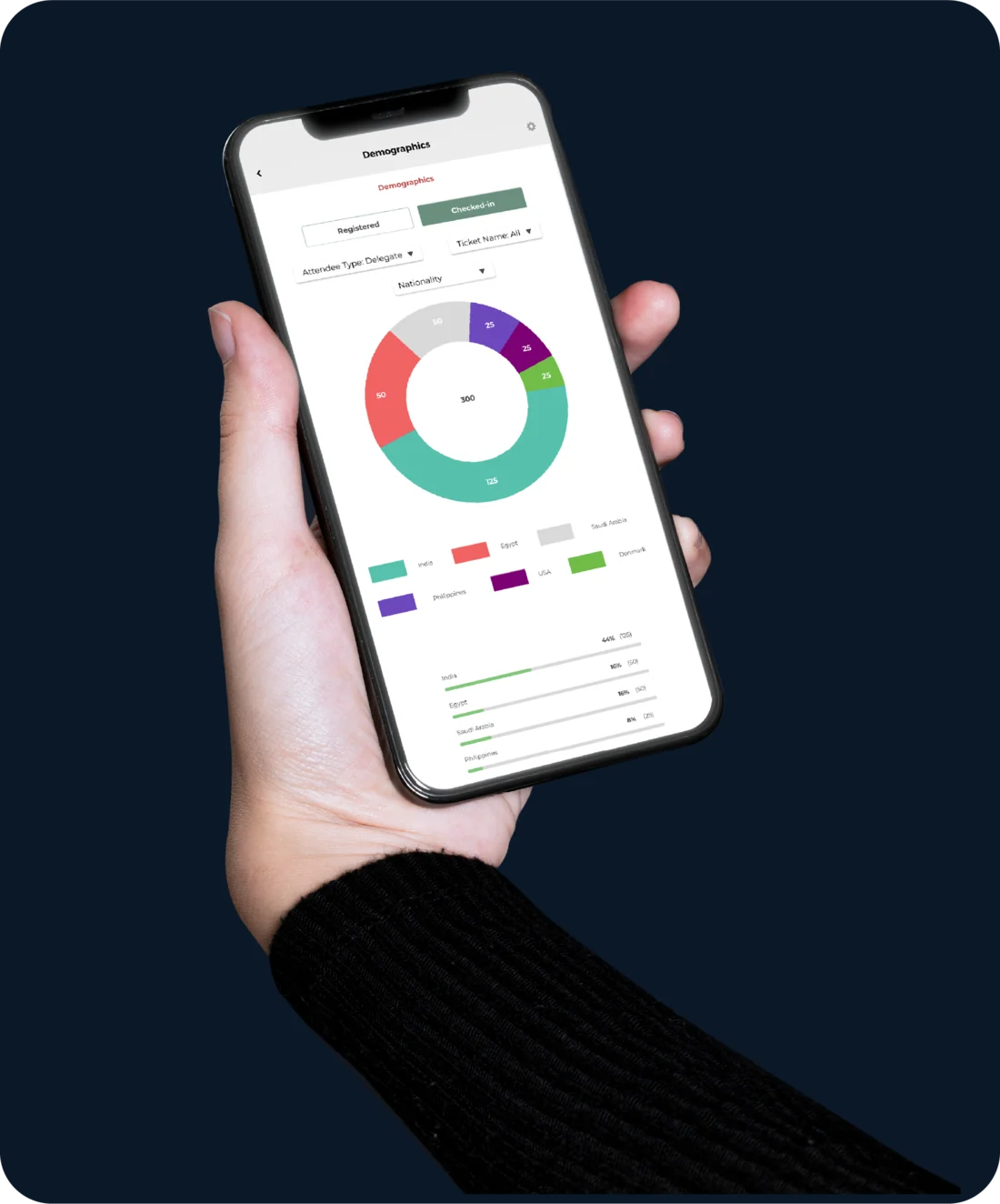
The Attendee Registration Report breaks down attendee type, registration medium and demographics from the fields you built into your registration form. The Scan Report shows scan activity by checkpoint and exports per-attendee credit points for accreditation reporting.
Choose which sessions to renew for next year
Send the accreditation body the hours each attendee earned, with the data behind it
Send a stakeholder the full attendee list, with the profile you captured
Brief the programme committee on the audience you actually drew
The per-attendee credit-points export feeds directly into the CME and CPD tracking story explained on the Access Control and Tracking page.
WHAT HOLDS ACROSS EVERY REPORT
Built to be useful, not just impressive.
A few things hold true across every dashboard and every report in Centra. They are why the data is something you act on, not something you file.

Real time, not after the fact
Every count refreshes as it happens. No nightly batch, no waiting for a report to run.

Powered by your own data
Audience demographics come from the questions you chose to ask in your registration form. The reports reflect what you decided to measure.

Export when you need to share
CSV exports for attendee lists, scan logs, credit points and ticket sales. Send to finance, sponsors or the accreditation body in one click.

Filter to the question you have
Every report cuts by ticket type, attendee type, registration medium, checkpoint and date range, so you pull the exact view you need before you export.
FROM CONCEPT TO CROWD
How it looks in Centra.
You build the questions in Centra, the system collects the answers as the event runs, and the dashboards and reports turn that data into decisions you can act on.
The Event Dashboard — the live summary strip and the Scan Overview tab
Sales by Properties — by ticket name, attendee type or registration medium
One-click CSV exports — scanned attendees and credit points
THE FULL VIEW, AND THE FAST ONE
Centra holds the full picture. EV Dash puts the fast answer at your fingertips.
Centra is the comprehensive home: the full Event Dashboard and every report, where you build, filter and export the detail. EV Dash is the fast companion that puts those live numbers in your pocket — the same live data, shaped for a glance instead of a deep dive.
The signals you actually watch: tickets moving, attendees arriving, halls filling
An easy, interactive app — the answer to “how is it going” in seconds, wherever you are
Hand it to your client or committee: no Centra login required
GET STARTED
Ready to see your event clearly?
Get started on Centra. Set up what matters, watch the data build itself as your event runs, and act on it.